
What does this mod do?
This mod fixes an issue that appears when using Create: Aeronautics with Iris Shaders. When a hot air envelope is filled with air, a transparent overlay appears. This overlay absolutely does not work well with shaders, and creates a weird artifact in the top left corner that becomes larger as more hot air overlays are present. The transparent overlay also looks weird.
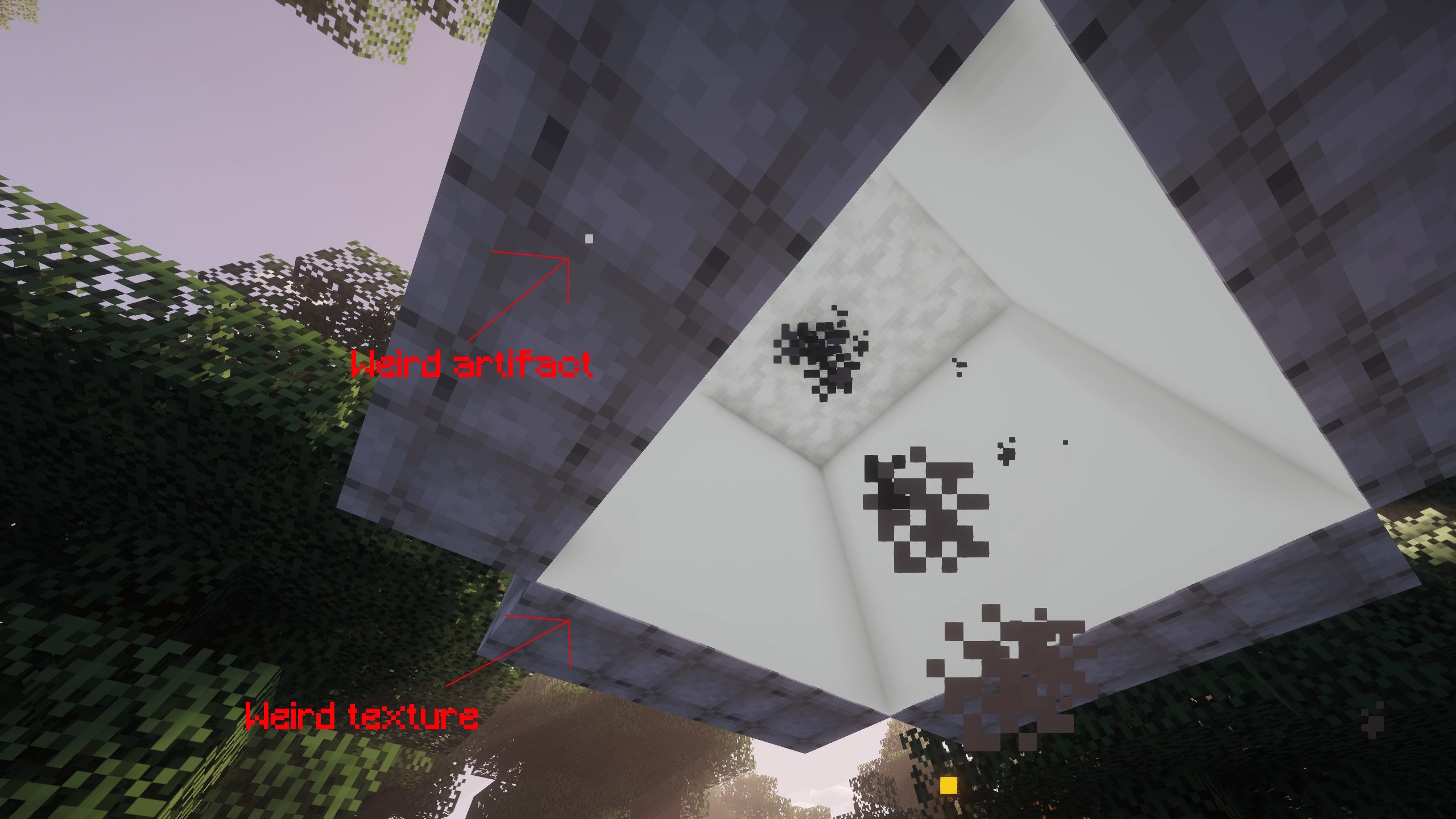
How does this mod fix it?
This mod simply disables this overlay using an embedded resource pack.\ As result, the hot air overlay is completely gone, solving the issue.
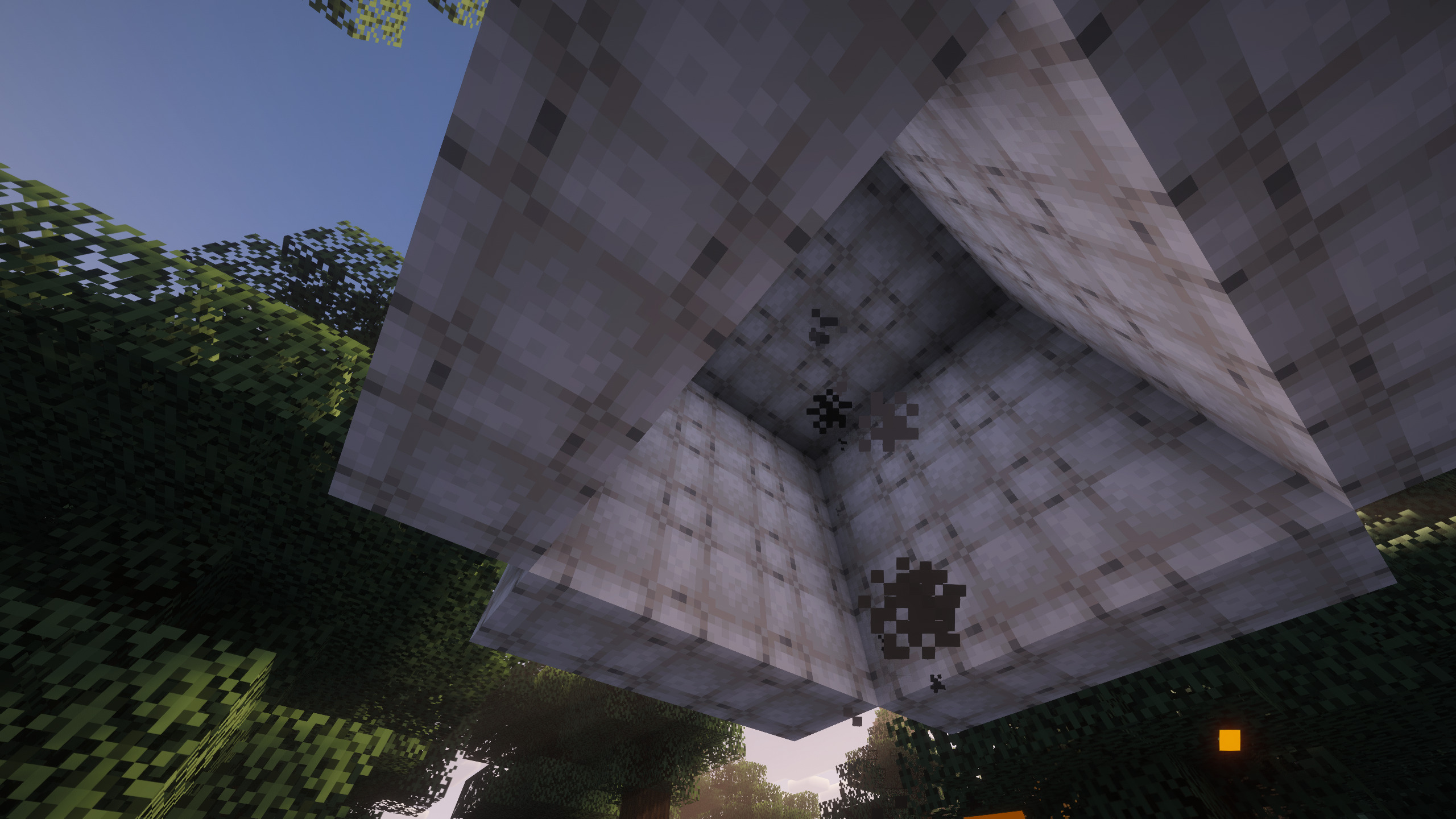
This mod is available as Neoforge mod and normal resource pack.\ You are allowed to put this mod into your modpack, even outside of modrinth, following the 0BSD License.


How to Install Aeronautics Hot Air Fix (Mod)
Aeronautics Hot Air Fix by katzzotik is verified for Minecraft, Neoforge across Minecraft versions 1.21.1 (latest release: 1.1.1, file size: 335 KB). Follow the steps below to install it safely from ModCraft.tv:
- Click the Download button above and select your Minecraft version (1.21.1) and platform (Minecraft, Neoforge).
- Make sure you have the compatible loader or environment installed for Minecraft, Neoforge.
- Move the downloaded Aeronautics Hot Air Fix file into your Minecraft
.minecraft/modsfolder and launch the game.
All Versions
+ Add Version


This change was done because I no longer want credit for a fix this simple.
This change was done because I no longer want credit for a fix this simple.
Changed Resource pack description from 'Aeronautics Hot Air Fix' to 'Keep above mod resources'
Changed embedded resource pack description from 'Aeronautics Hot Air Fix' to 'Keep above mod resources'
<details>
<summary></summary>
wowowowo
</details>
<details>
<summary></summary>
wowie
</details>


