
EN 🌐
ABOUT:
Hi, I'm LoLip_p! This is a shader that simulates the effects of a body camera.
Looking for more realism?
I've released a Next-Gen version of this shader! It's a complete overhaul based on Rethinking Voxels, bringing RTX lighting to the bodycam aesthetic. Check it out on my Patreon!
Base version:
SCREENSHOT:

Performance: 160 FPS+
- 2K (2560x1440)
- 10 chunks
- GPU: RX 580 (8GB)
- CPU: Ryzen 5 1500X
THE SHADER HAS:
- Fisheye Effect
- Auto Exposure
- Support Better Clouds
- Support Distant Horizons
- PBR support (LabPBR)
- Chromatic Aberration
- Thermal Imager
- Night vision goggles
- Support 3 language: EN RU FR
Recommended settings:
- Brightness: 0
- Field of view (Fov): 110
LINKS:
INSTALL THE SHADERS
- Download Client Which Supports Installing Shaders Such As Optifine And Iris
- Download The Shaders
- Copy Shaders to /.minecraft/shaderpacks
- Launch Minecraft, Go To Options --> Video Settings --> Shaders
- Choose Body Camera Shader
DEMO VIDEO
RU 🐻
О:
Привет, я LoLip_p! Это шейдер, который имитирует эффекты камеры, установленной на теле.
Ищете больше реализма?
Я выпустил Next-Gen версию этого шейдера! Это полностью переработанная версия, основанная на подходе «Rethinking Voxels», которая добавляет освещение RTX в стиле «bodycam». Посмотрите его на моем Patreon!
Базовая версия:
СКРИНШОТ:

Производительность: 160 FPS+
- 2K (2560x1440)
- 10 chunks
- GPU: RX 580 (8GB)
- CPU: Ryzen 5 1500X
ШЕЙДЕР ИМЕЕТ:
- Эффект рыбьего глаза
- Авто экспозиция
- Поддержка Better Clouds
- Поддержка Distant Horizons
- Поддержка PBR (LabPBR)
- Хроматическая аберрация
- Тепловизор
- Очки ночного видения
- Поддержка 3 языков: EN RU FR
Рекомендуемые настройки:
- Яркость: 0
- Поле зрения (Fov): 110
ССЫЛКИ:
УСТАНОВКА ШЕЙДЕРА
- Скачать клиент, поддерживающий установку шейдеров, таких как Optifine и Iris
- Скачать шейдеры
- Копировать шейдеры в /.minecraft/shaderpacks
- Запустите Minecraft, перейдите в «Настройки» --> Видео Настройки --> Shaders
- Выбери Body Camera Shader
ДЕМО-ВИДЕО
CH 🐉
关于:
你好,我是LoLip_p!这是模拟随身摄像机效果的着色器
想要更逼真的效果吗?
我已经发布了这款着色器的 次世代 版本!这是基于《Rethinking Voxels》进行的一次全面重制,将 RTX 光照技术融入了随身摄像头的视觉风格。 欢迎前往我的 Patreon 查看!
Base version:
屏幕截图:

性能: 160 FPS+
- 2K (2560x1440)
- 10 chunks
- GPU: RX 580 (8GB)
- CPU: Ryzen 5 1500X
着色器具有:
- 鱼眼效果
- 自动曝光
- 支持Better Clouds
- 支持Distant Horizons
- PBR支持 (LabPBR)
- 色差
- 热成像仪
- 夜视镜
- 支持3种语言:EN RU FR
推荐设置:
- 亮度:0
- 视野(Fov):110
链接:
安装着色器
- 下载支持安装着色器的客户端(如Optifine或Iris)
- 下载着色器资源包
- 将着色器文件复制到 /.minecraft/shaderpacks 目录
- 启动Minecraft,进入选项 --> 视频设置 --> 着色器
- 选择 Body Camera Shader
演示视频
BR 🎭
SOBRE:
Olá, sou o LoLip_p! Este é um shader que simula os efeitos de uma câmera corporal.
Quer mais realismo?
Lancei uma versão Next-Gen deste shader! Trata-se de uma reformulação completa baseada no Rethinking Voxels, que traz iluminação RTX para a estética das câmeras corporais. Confira no meu Patreon!
Base version:
CAPTURA DE TELA:

Desempenho: 160 FPS+
- 2K (2560x1440)
- 10 chunks
- GPU: RX 580 (8GB)
- CPU: Ryzen 5 1500X
O SHADER TEM:
- Efeito olho de peixe
- Exposição automática
- Suporte para Better Clouds
- Suporte para Distant Horizons
- Suporte PBR (LabPBR)
- Aberração cromática
- Termovisor
- Óculos de visão noturna
- Suporte a 3 idiomas: EN RU FR
Configurações recomendadas:
- Brilho: 0
- Campo de visão (Fov): 110
LINKS:
INSTALE OS SHADERS
- Baixe um cliente que suporte a instalação de shaders, como Optifine e Iris
- Baixe os shaders
- Copie os shaders para /.minecraft/shaderpacks
- Inicie o Minecraft, vá para Opções --> Configurações de vídeo --> Shaders
- Escolha Body Camera Shader
VÍDEO DE DEMONSTRAÇÃO
DE 🍺
ÜBER:
Hallo, ich bin LoLip_p! Dies ist ein Shader, der die Effekte einer Körperkamera simuliert.
Lust auf noch mehr Realismus?
Ich habe eine Next-Gen-Version dieses Shaders veröffentlicht! Es handelt sich um eine komplette Überarbeitung auf Basis von „Rethinking Voxels“, die RTX-Beleuchtung in die Bodycam-Ästhetik integriert. Schau sie dir auf meinem Patreon an!
Base version:
SCREENSHOT:

Leistung: 160 FPS+
- 2K (2560x1440)
- 10 chunks
- GPU: RX 580 (8GB)
- CPU: Ryzen 5 1500X
DER SHADER VERFÜGT ÜBER:
- Fisheye-Effekt
- Automatische Belichtung
- Unterstützung für Better Clouds
- Unterstützung für Distant Horizons
- PBR-Unterstützung (LabPBR)
- Chromatische Aberration
- Wärmebildkamera
- Nachtsichtbrille
- Unterstützung für 3 Sprachen: EN RU FR
Empfohlene Einstellungen:
- Helligkeit: 0
- Sichtfeld (Fov): 110
LINKS:
INSTALLIEREN SIE DIE SHADER
- Client herunterladen, der die Installation von Shadern wie Optifine und Iris unterstützt
- Shader herunterladen
- Shader nach /.minecraft/shaderpacks kopieren
- Minecraft starten, zu Optionen --> Videoeinstellungen --> Shader gehen
- Body Camera Shader auswählen
DEMO VIDEO
FR 🥐
À PROPOS:
Bonjour, je suis LoLip_p ! Voici un shader qui simule les effets d'une caméra corporelle.
Envie d'un rendu encore plus réaliste ?
J'ai publié une version Next-Gen de ce shader ! Il s'agit d'une refonte complète inspirée de « Rethinking Voxels », qui intègre l'éclairage RTX à l'esthétique des caméras corporelles. Découvrez-la sur mon Patreon !
Base version:
CAPTURE D'ÉCRAN:

Performance: 160 FPS+
- 2K (2560x1440)
- 10 chunks
- GPU: RX 580 (8GB)
- CPU: Ryzen 5 1500X
LE SHADER DISPOSE DE :
- Effet fisheye
- Exposition automatique
- Prise en charge de Better Clouds
- Prise en charge de Distant Horizons
- Prise en charge PBR (LabPBR)
- Aberration chromatique
- Imageur thermique
- Lunettes de vision nocturne
- Prise en charge de 3 langues : EN RU FR
Paramètres recommandés :
- Luminosité : 0
- Champ de vision (Fov) : 110
LIENS:
INSTALLER LES SHADERS
- Téléchargez un client prenant en charge l'installation de shaders tels que Optifine et Iris
- Téléchargez les shaders
- Copiez les shaders dans /.minecraft/shaderpacks
- Lancez Minecraft, allez dans Options --> Paramètres vidéo --> Shaders
- Choisissez Body Camera Shader
VIDÉO DE DÉMONSTRATION
All Versions
+ Add Version


- Fixed:**
- Fixed blurring on weapons
- For Bloom, the blur has become softer
In a previous post, Patreon wrote about the plans. Namely, add effect 4:3. Well, in this version of the shader, I succeeded. Now the fish-eye effect looks more spectacular. Of course, this setting is optional.
- Improved the look of the vignette
- Black stripes on the edges are disabled by default
- Added information about Patreon
- Added Bloom
- The basic Auto Exposure settings have been changed
- Reduced dynamic range
- Fixed AO passage in ice
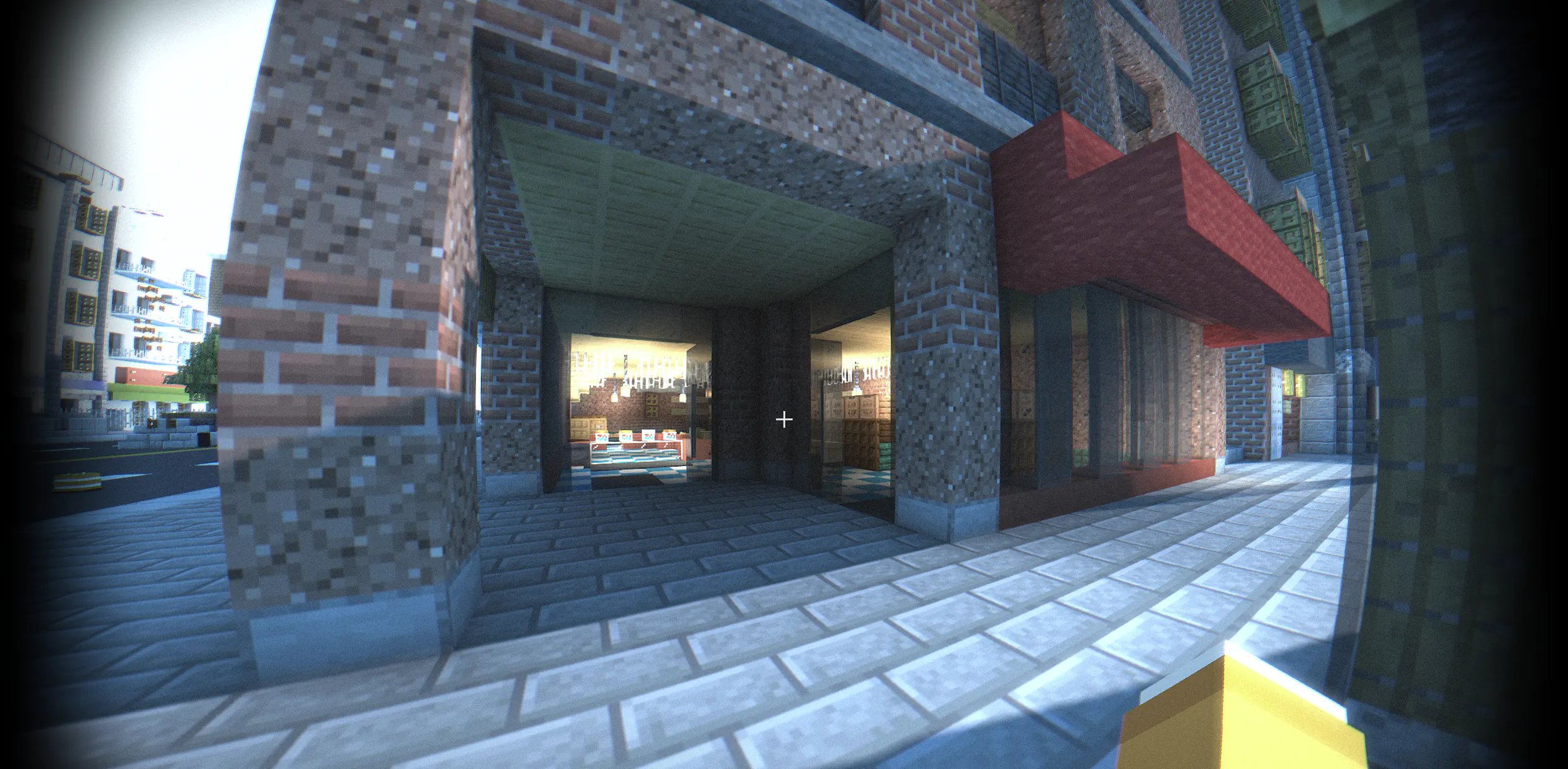
Old:
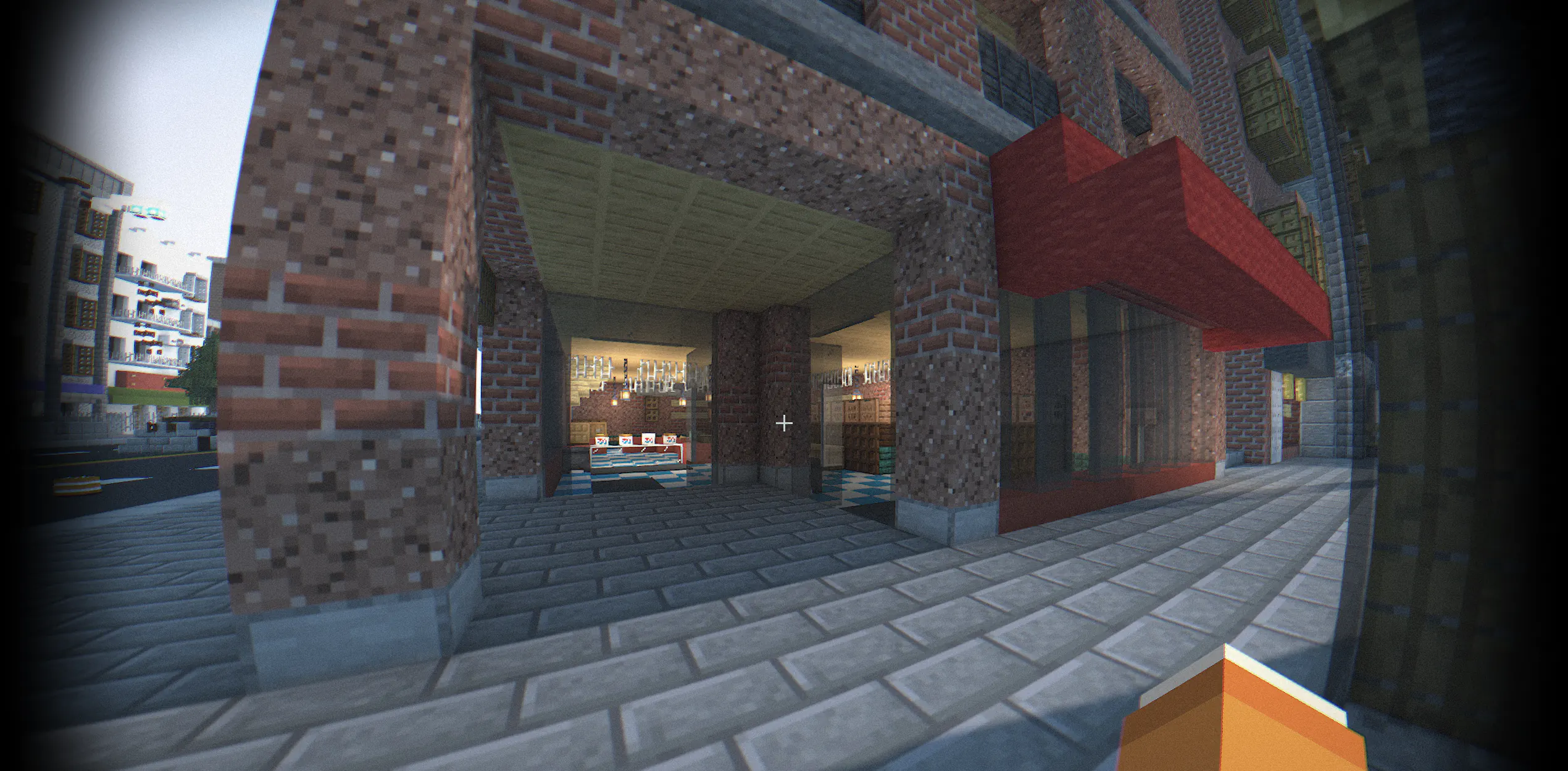
New:
- Fixed AO noise
- Fixed the gap in the shadows.
- Ambient Occlusion
- Transparency of the smoke from the campfire.
- Sharp edges of lighting
- The brightness of the water in the caves.
- Reduced number of programs, algorithms for calculating randomness have been accelerated
- Visible damage
- The light of the sun on your hand
- Fog under water
- Fixed rendering DH
- PBR support (LabPBR) 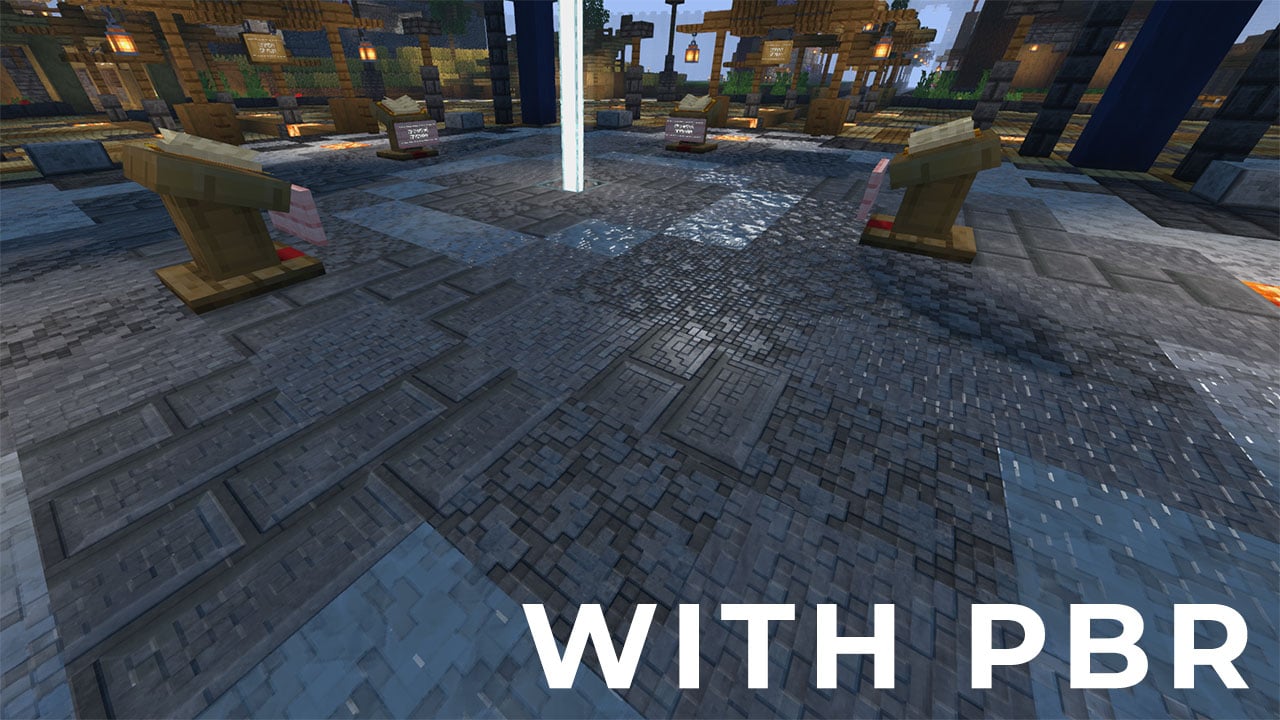
- SSR (Screen Space Reflection)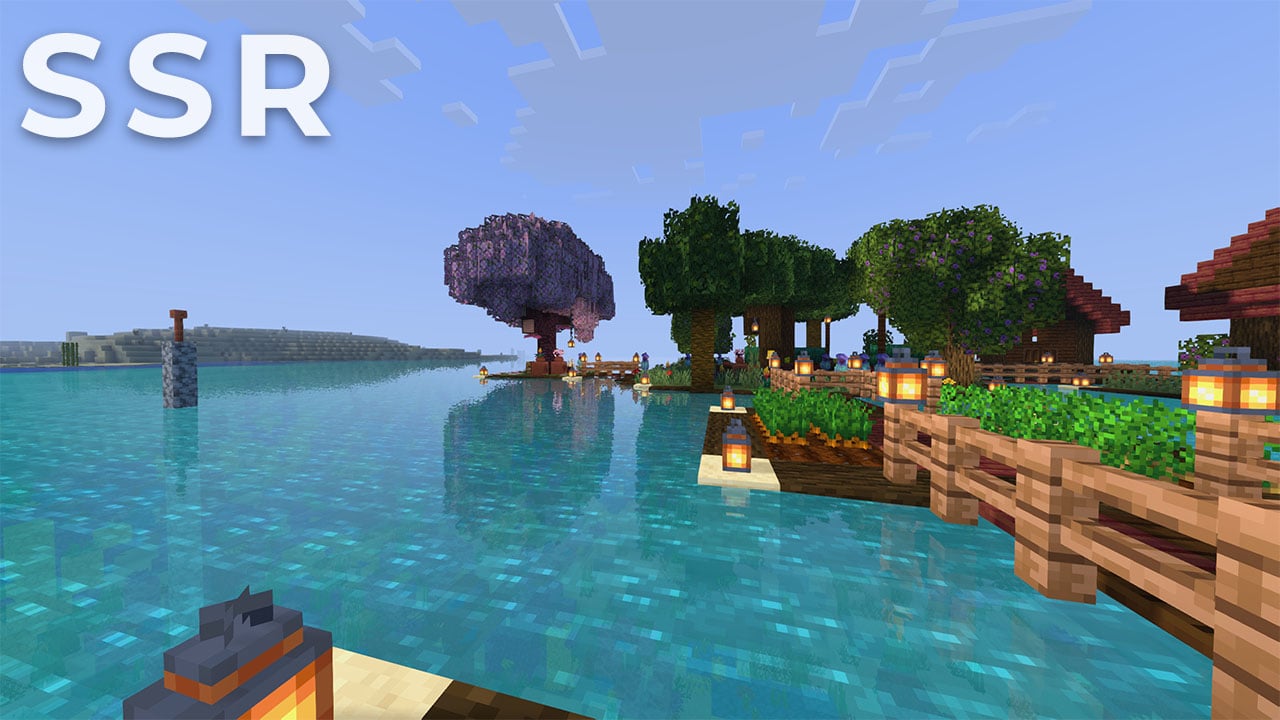
- Improved lighting support for Distant Horizons
- Waves on the water
- Swaying foliage
- Faster rendering, can add +20 FPS or more
- Fixed white particles
- Fixed lack of shadows in coloured glass
- Fixed a noticeable shadow border in the distance
- Fixed fog for clouds
- Fixed rain for clouds
- FXAA antialiasing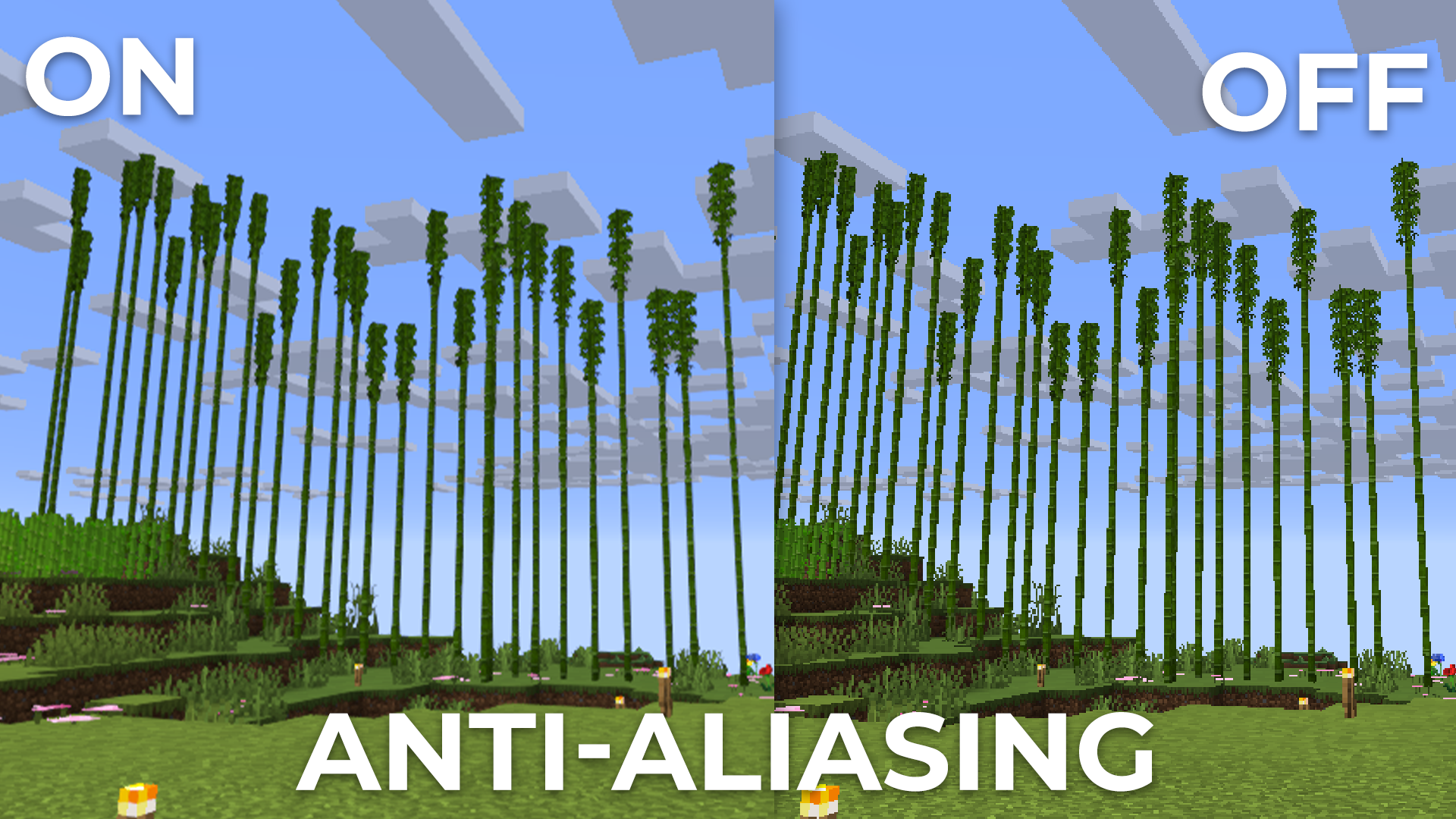
- Added an item to the ‘colour correction’ tab that allows you to **disable 16 bit textures** _(may add FPS, but visual artefacts will appear)_
- The fog on Optifine did not work
- Smoke artefacts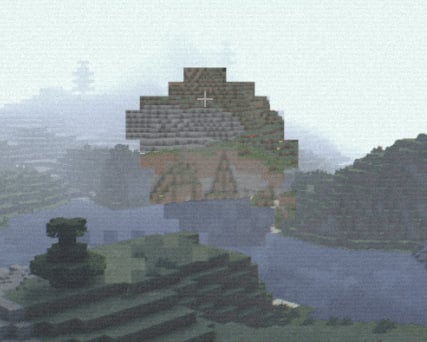
- Added support for [**OCD Shaders**](https://www.curseforge.com/minecraft/mc-mods/ocd-shaders-mod)
- Distortion colors in NETHER and END!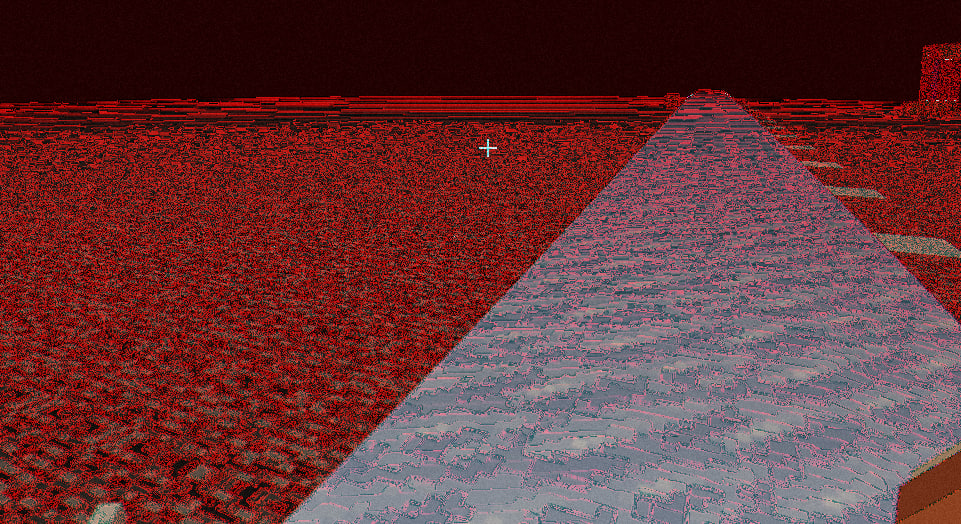
- Add LUT support!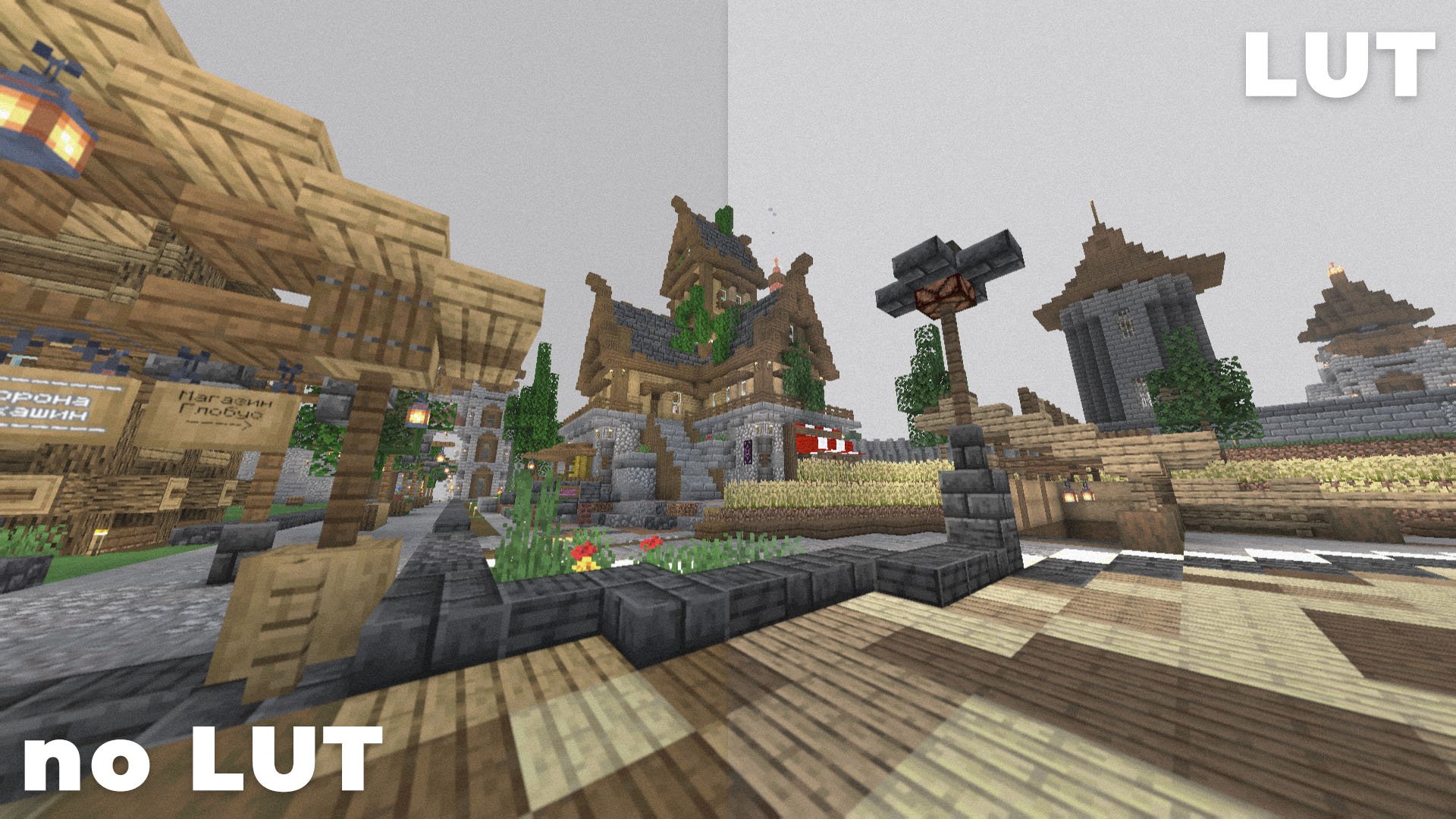
- Add NVG activation when sneaking!
- Add Fog!
- Add new Profile! _(Grey weather)_
## Bug fix:
- Fixed shadow range
- Fixed color overflow
- Server IP:** bodycam.20tps.ru
## New:
- Add support mod [Better Clouds](https://modrinth.com/mod/better-clouds)
- Add Stars on Sky
- Add Shadow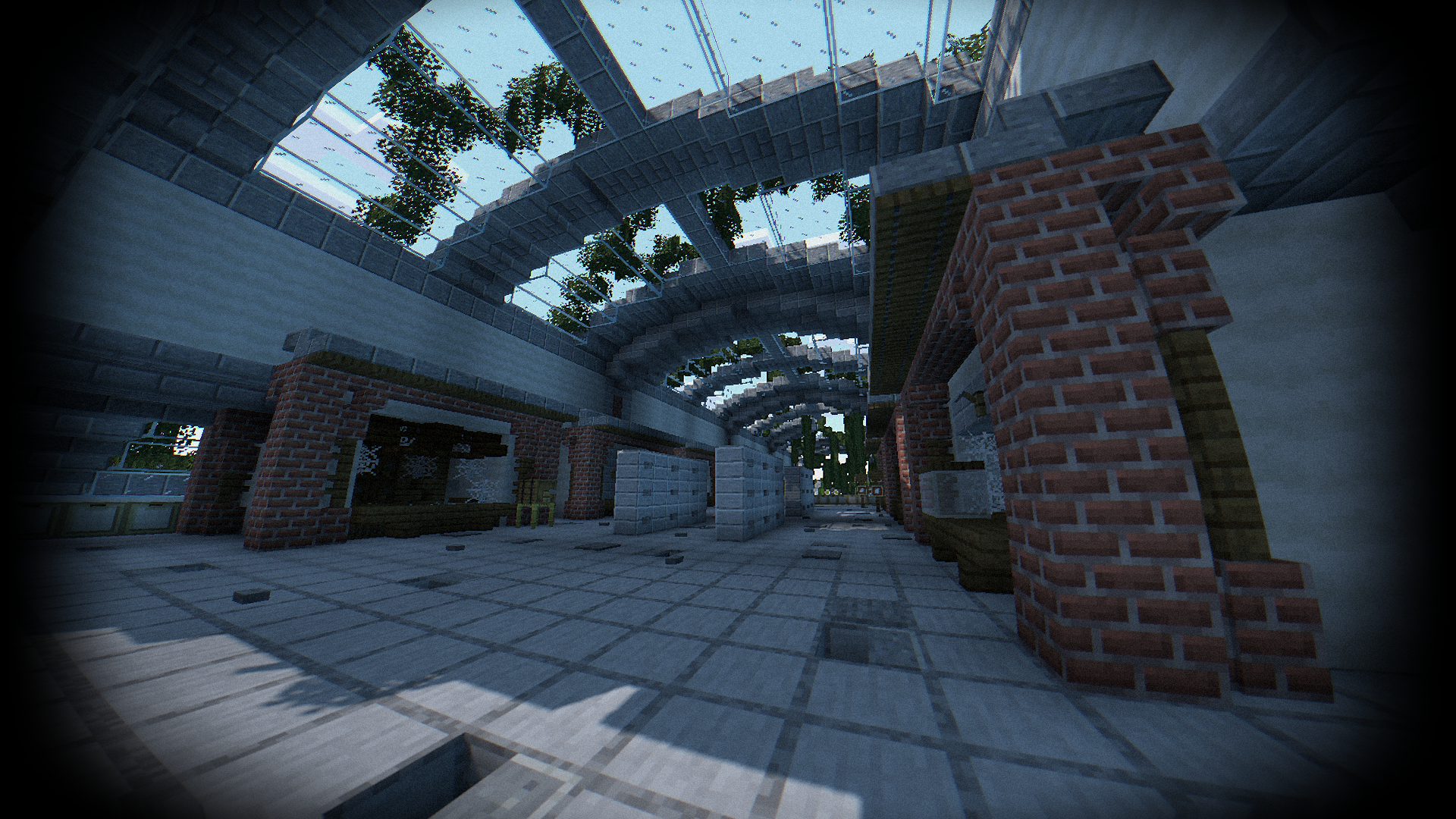
- Night vision goggles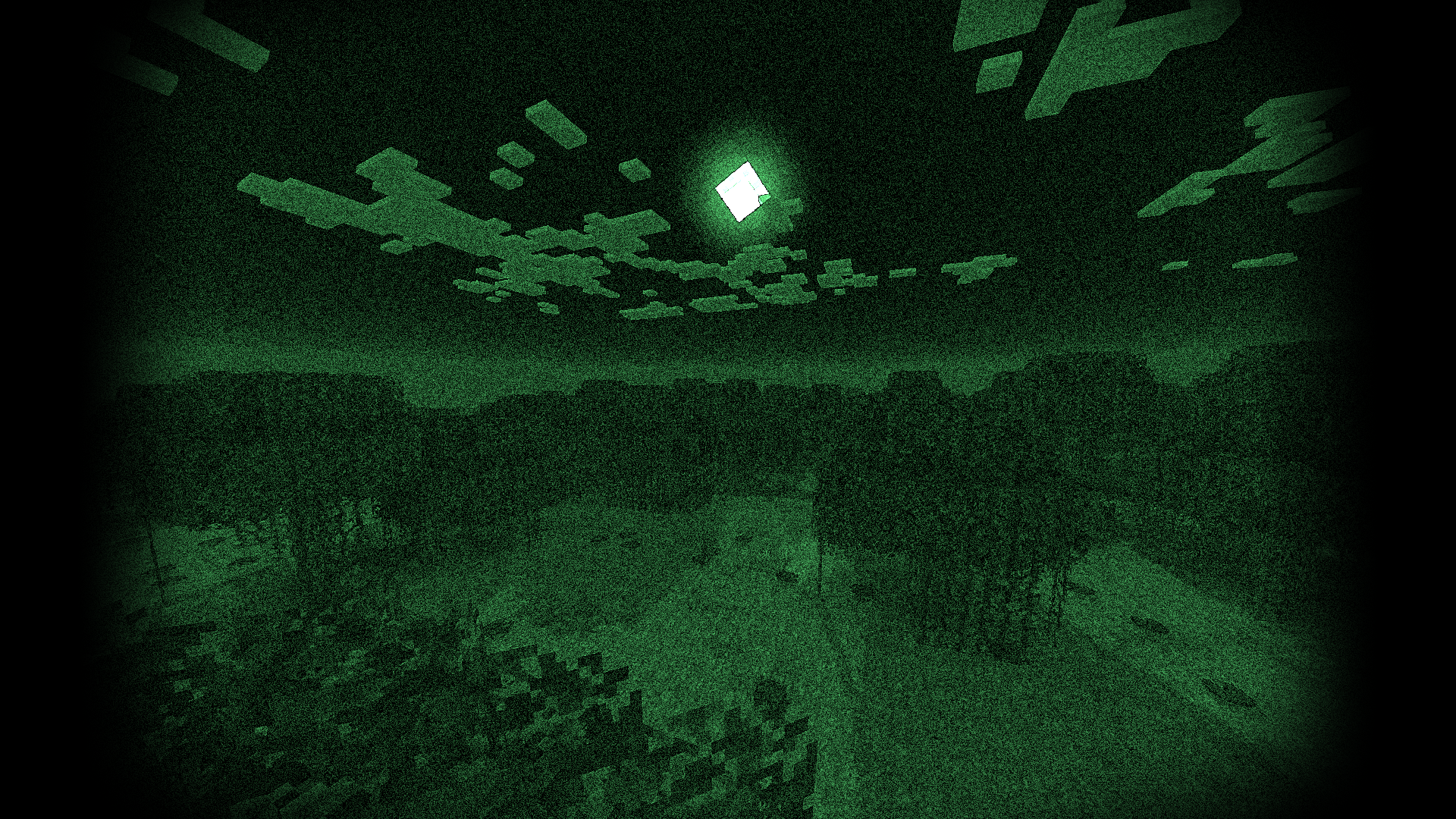
- Thermal Imager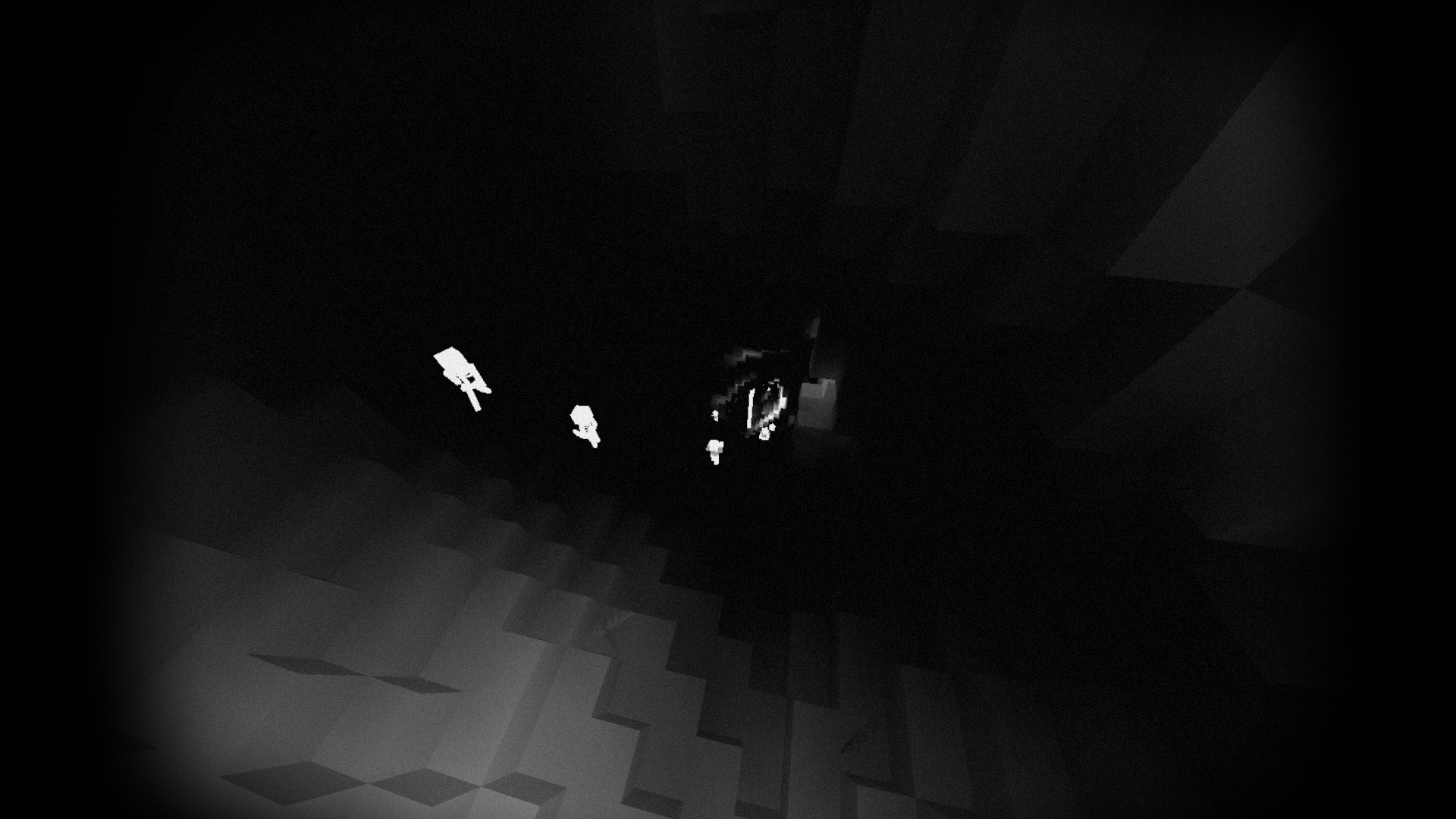
- Add language: French
- VHS effect
- Support Distant Horizons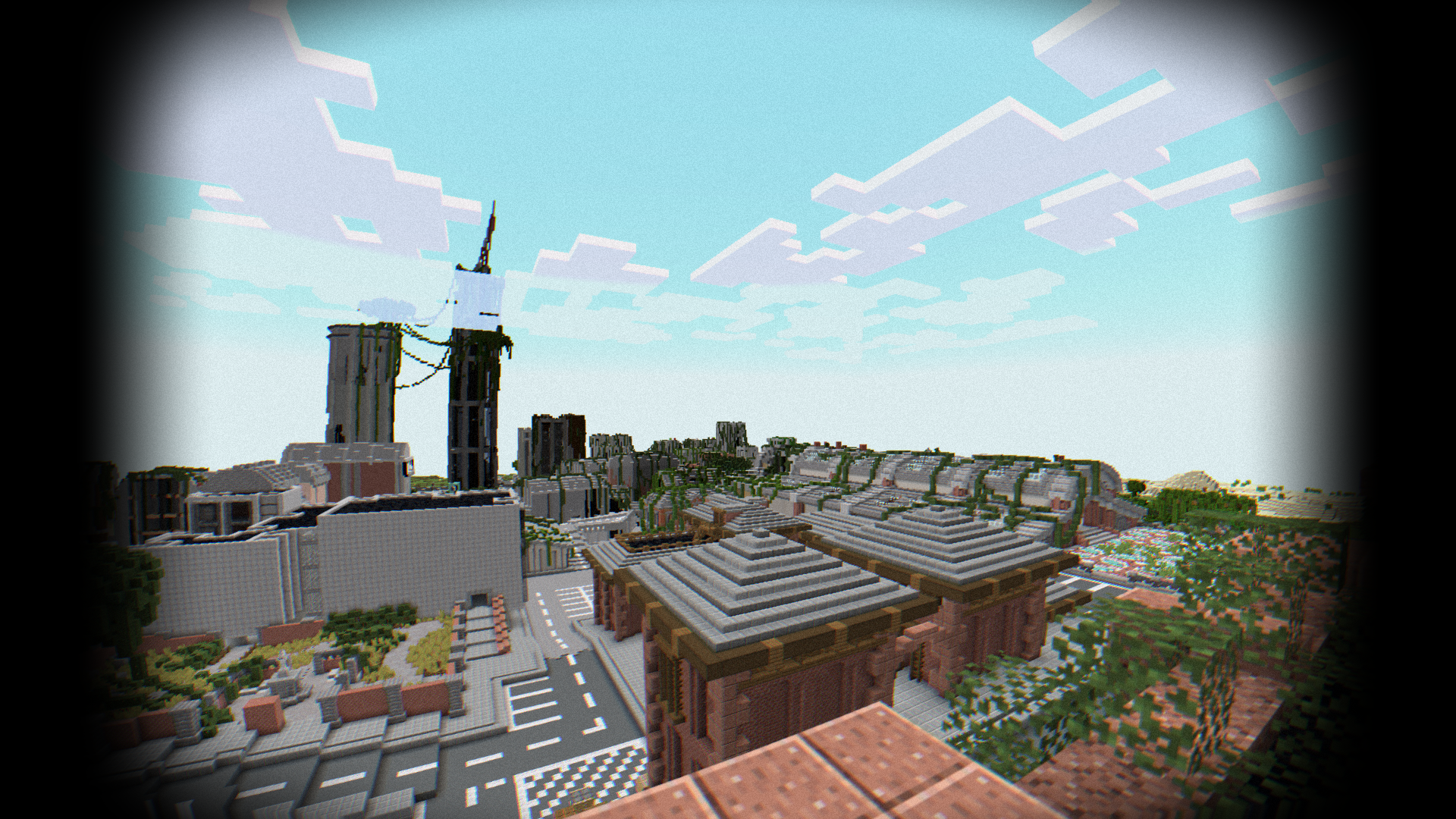
- Fixed fog when disabled.
- Release**


