
Cobbled Paths
Quilt version requires: QSL and GroovyDuvet
Forge version requires: GML
Adds various cobbled and paved paths. Paths give speed boosts when walked on, depending on the material.
Details:
Paths are created by using the appropriate sett or cobble on dirt paths, snow, soul sand, or end stone depending on the material. Certain paths can be further modified:
- Most paths can be "cracked" with a Sledgehammer
- Nether Brick Paved Paths can be dyed with Nether Wart
- Cobbled Paths can be decorated with a Moss Ball
- Blackstone Paved Paths can be gilded with a Gold Nugget
This mod also includes the spade, a tool for easily switching out base blocks for paths; simply hold the block you wish to switch to in your offhand and right click with the spade. This only works for:
- Dirt-like blocks
- Soul Sand and Soul Soil
- End Stone
- Snow Block
- Gravel
Images:
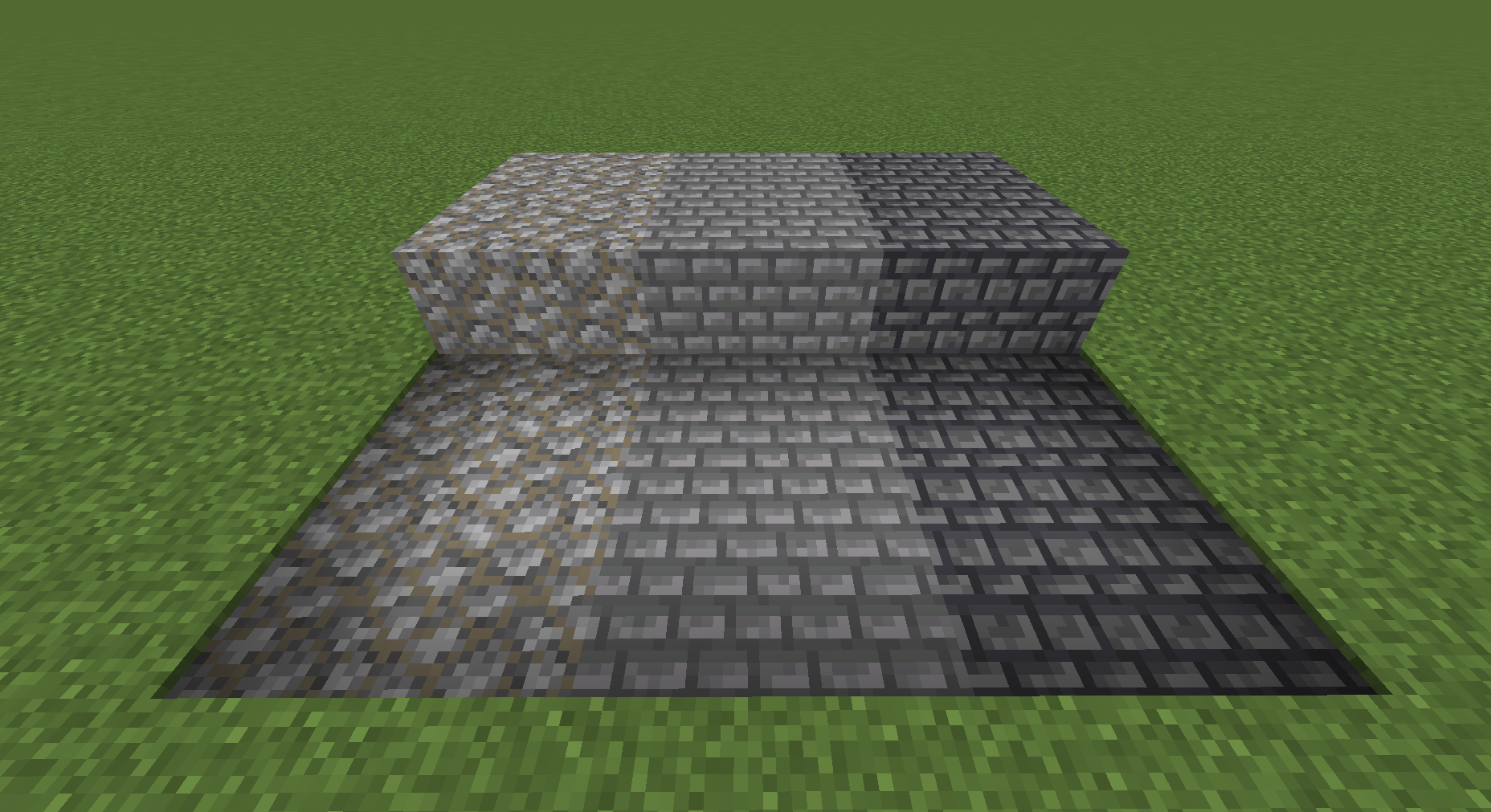
From left to right: Cobbled Path, Stone Paved Path, Deepslate Paved Path
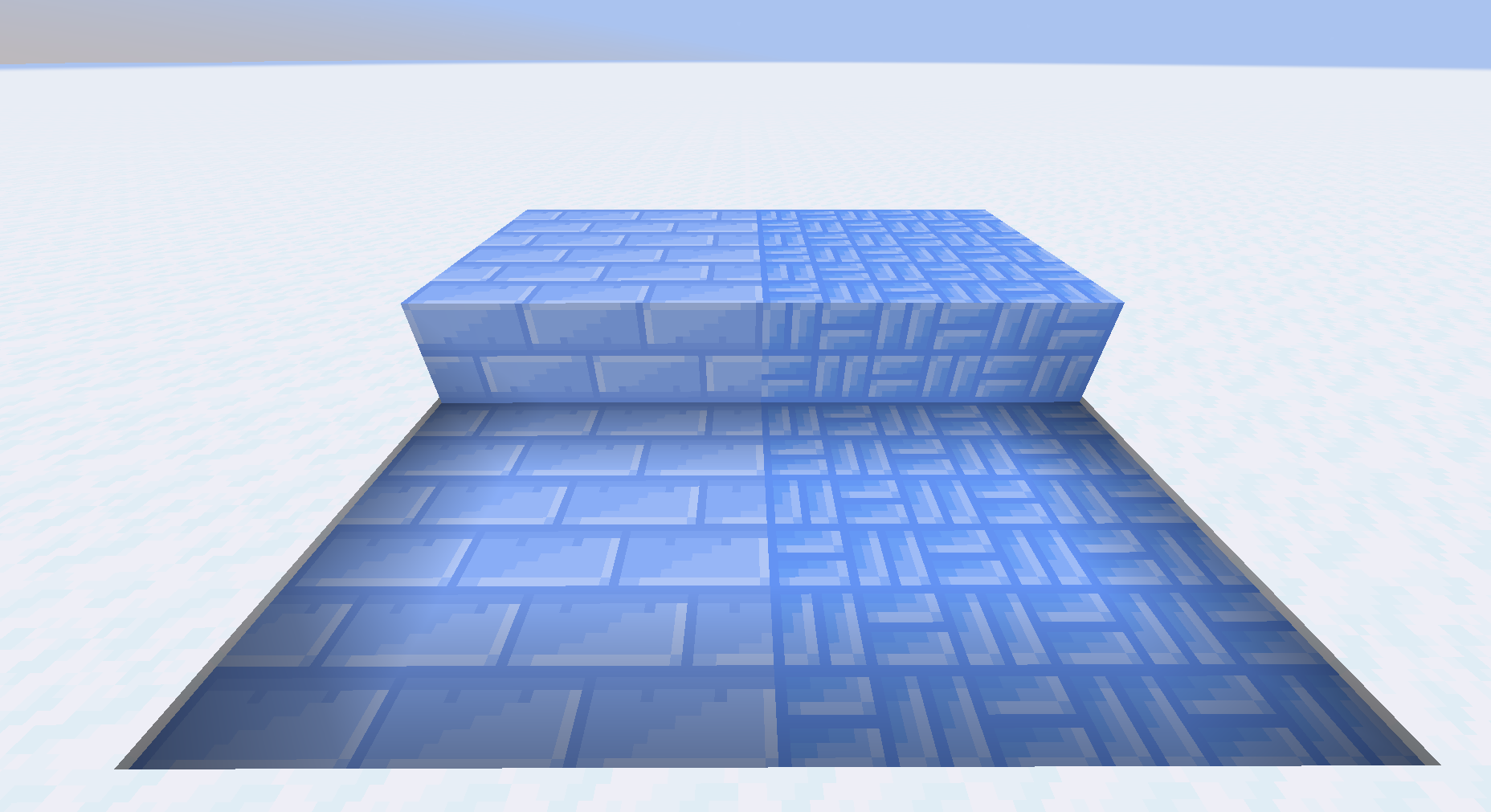
From left to right: Ice Paved Path, Blue Ice Paved Path
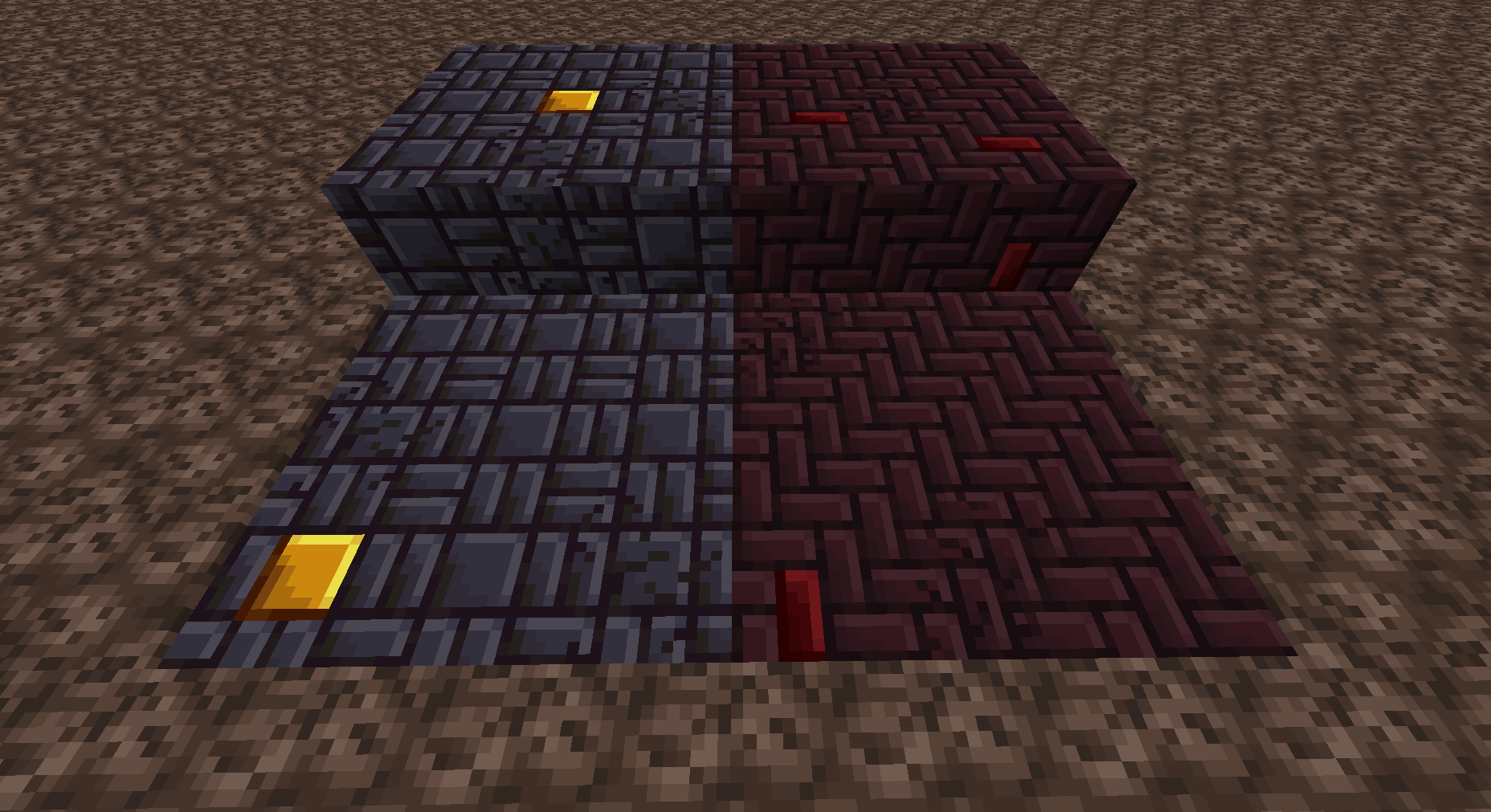
Nether Brick and Blackstone Paved Paths, alongside cracked and decorated variants
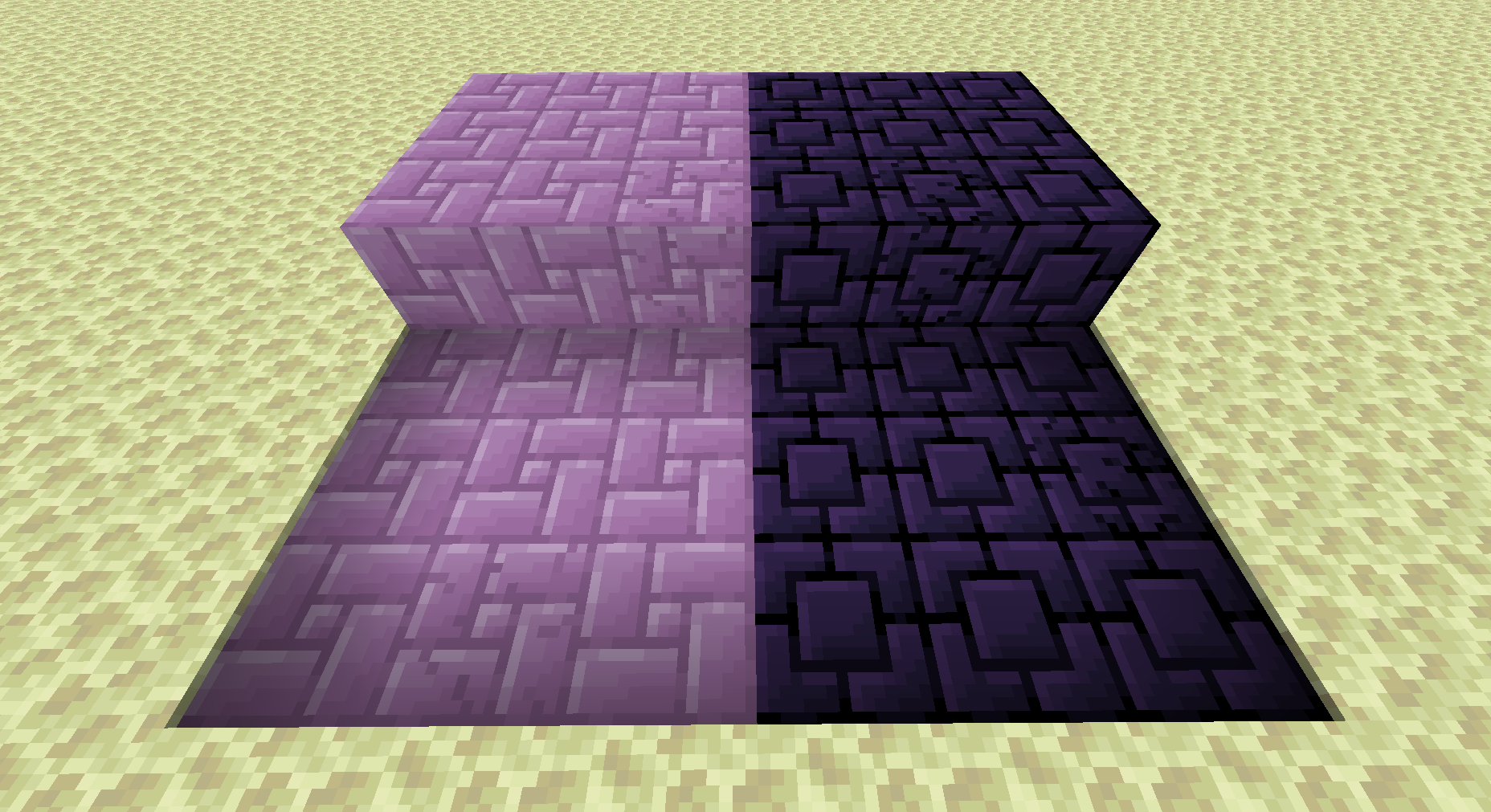
Purpur and Obsidian paths with cracked variants
To Use:
- Craft setts or cobbles with a stonecutter
- Use them on the proper base path block (dirt paths, snow, soul sand, or end stone)
- The sledgehammer can be used to make paths cracked
- Gold nuggets can be used to decorate blackstone paths; nether wart to decorate nether brick paths; and cobble to decorate cobbled paths.
How to Install Cobbled Paths (Mod)
Cobbled Paths by lukebemish is verified for Fabric, Forge, Quilt across Minecraft versions 1.18.1, 1.18.2, 1.19.3, 1.19.4, 1.20.1 (latest release: 2.0.0, file size: 262 KB). Follow the steps below to install it safely from ModCraft.tv:
- Click the Download button above and select your Minecraft version (1.18.1, 1.18.2, 1.19.3, 1.19.4, 1.20.1) and platform (Fabric, Forge, Quilt).
- Make sure you have the compatible loader or environment installed for Fabric, Forge, Quilt.
- Move the downloaded Cobbled Paths file into your Minecraft
.minecraft/modsfolder and launch the game.
All Versions
+ Add Version| Name | Game version | Platforms | Published | Downloads | Actions |
|---|---|---|---|---|---|
|
R
2.0.0
|
last yr. | 1 | |||
|
R
2.0.0
|
last yr. | 1 | |||
|
R
1.0.2
|
last yr. | 1 | |||
|
R
1.0.2
|
last yr. | 1 | |||
|
R
1.0.1
|
last yr. | 1 | |||
|
R
1.0.1
|
last yr. | 1 | |||
|
R
1.0.0
|
last yr. | 1 | |||
|
R
1.0.0
|
last yr. | 1 | |||
|
R
0.1.7
|
last yr. | 1 | |||
|
R
0.1.7
|
last yr. | 1 | |||
|
R
0.1.6
|
last yr. | 1 | |||
|
R
0.1.6
|
last yr. | 1 | |||
|
R
0.1.4
|
last yr. | 1 | |||
|
R
0.1.4
|
last yr. | 1 | |||
|
R
0.1.3
|
last yr. | 1 | |||
|
R
0.1.3
|
last yr. | 1 | |||
|
B
0.1.2
|
last yr. | 1 | |||
|
B
0.1.2
|
last yr. | 1 | |||
|
B
0.1.1
|
last yr. | 1 | |||
|
B
0.1.1
|
last yr. | 1 | |||
|
B
0.1.0
|
last yr. | 1 | |||
|
B
0.1.0
|
last yr. | 1 |


