
Create: Interval Filter
A small addon for Create that adds the Interval Filter - a filter item that configures a Deployer to activate at set distance intervals as a contraption moves.


What does it do?
Building automated contraptions in Create often requires placing items at precise, repeating intervals, something vanilla Deployers can't do on their own. The Interval Filter solves this. Place it in a Deployer's filter slot and it controls the cadence of activations: place items every 3rd block, every 10th block, or any interval up to 64, with an optional offset to phase-shift where the pattern starts.
This opens up builds that were previously tedious or impossible to tune, such as:
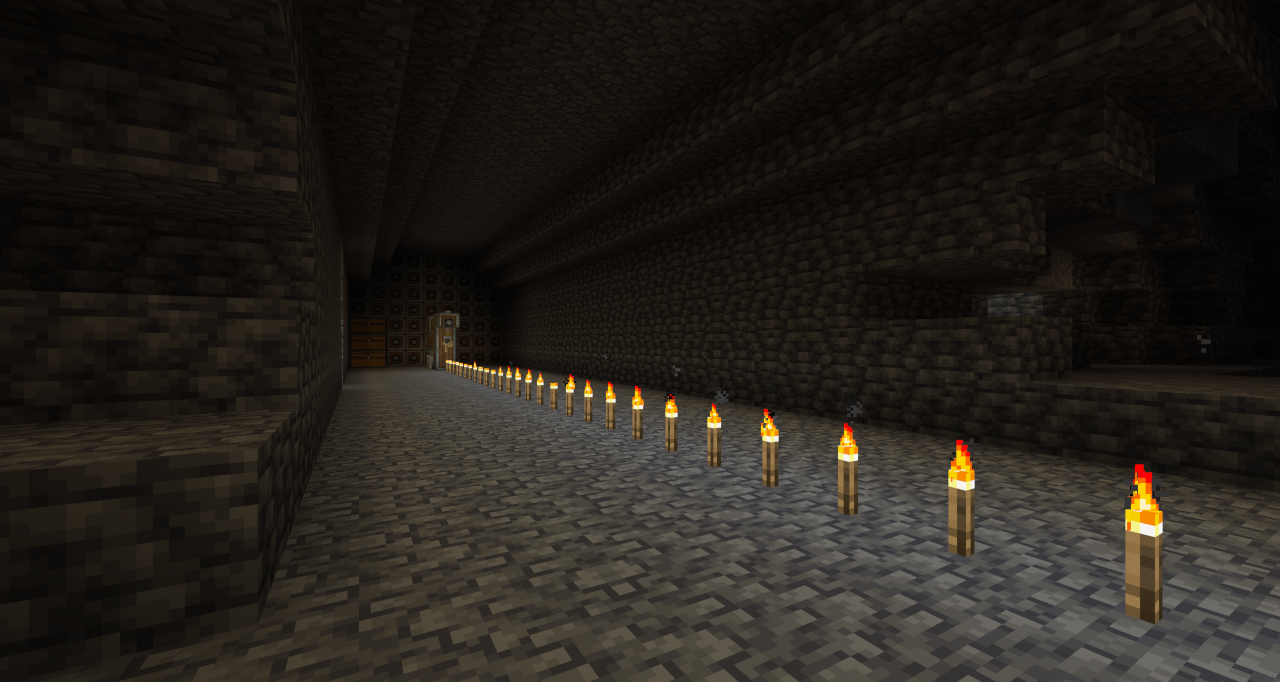
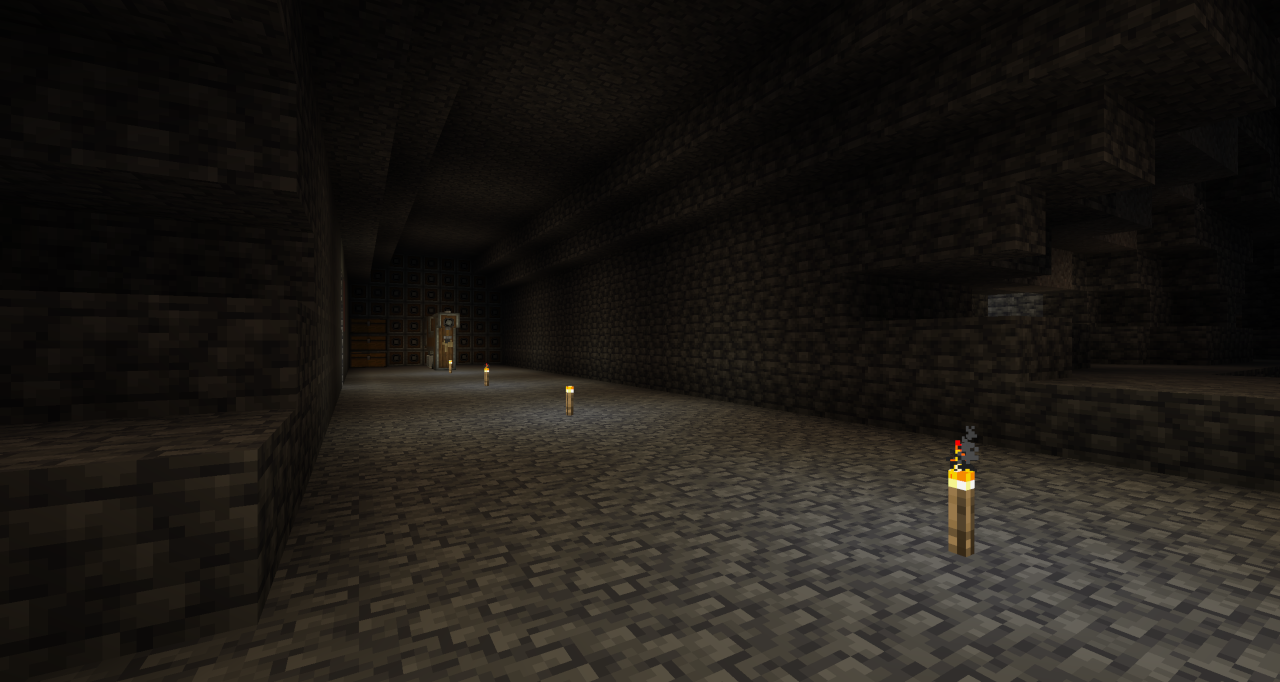
- Evenly-spaced torch placement behind a mining drill
- Repeating decoration patterns on a wall or floor
- Skipping the first few blocks before a pattern begins
- Alternating between different items placed in sequence or at random
| Before | After |
|---|---|
 |
 |
Features
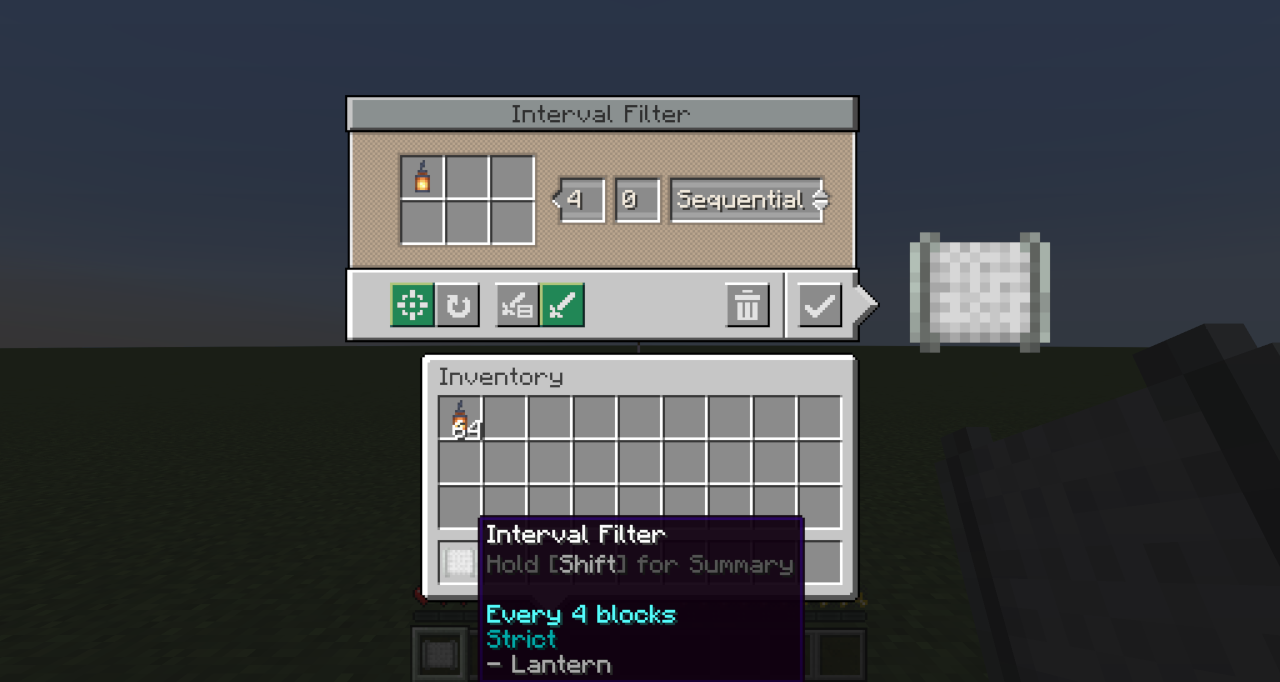
- Block Interval - Controls how many blocks the contraption travels between each Deployer activation. Supports values from 1 to 64.
- Initial Offset - Delays the start of the pattern by a set number of blocks. Useful for lining up placements without needing to redesign or reposition contraptions.
- Execution Modes - Two modes control what happens when a placement fails at the intended position:
- Strict — Skips the activation and continues the pattern unchanged. Use this when exact positioning matters.
- Best Effort - Keeps retrying on subsequent blocks until a placement succeeds. Use this when gaps are unacceptable.
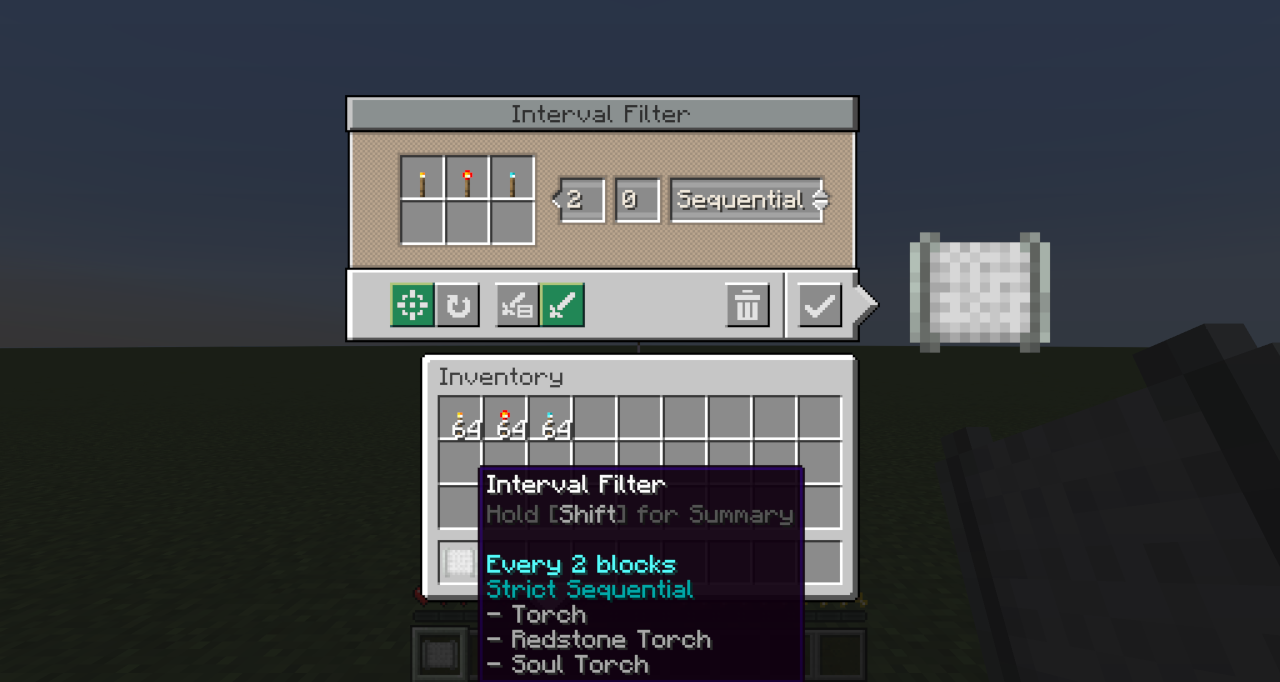
- Placement Mode - Two modes control what happens when multiple items (up to 6) are configured:
- Sequential - Cycles through all items in order each time the Deployer activates
- Random - Selects one item at random for each activation.
| Single Item | Multiple Items |
|---|---|
 |
 |
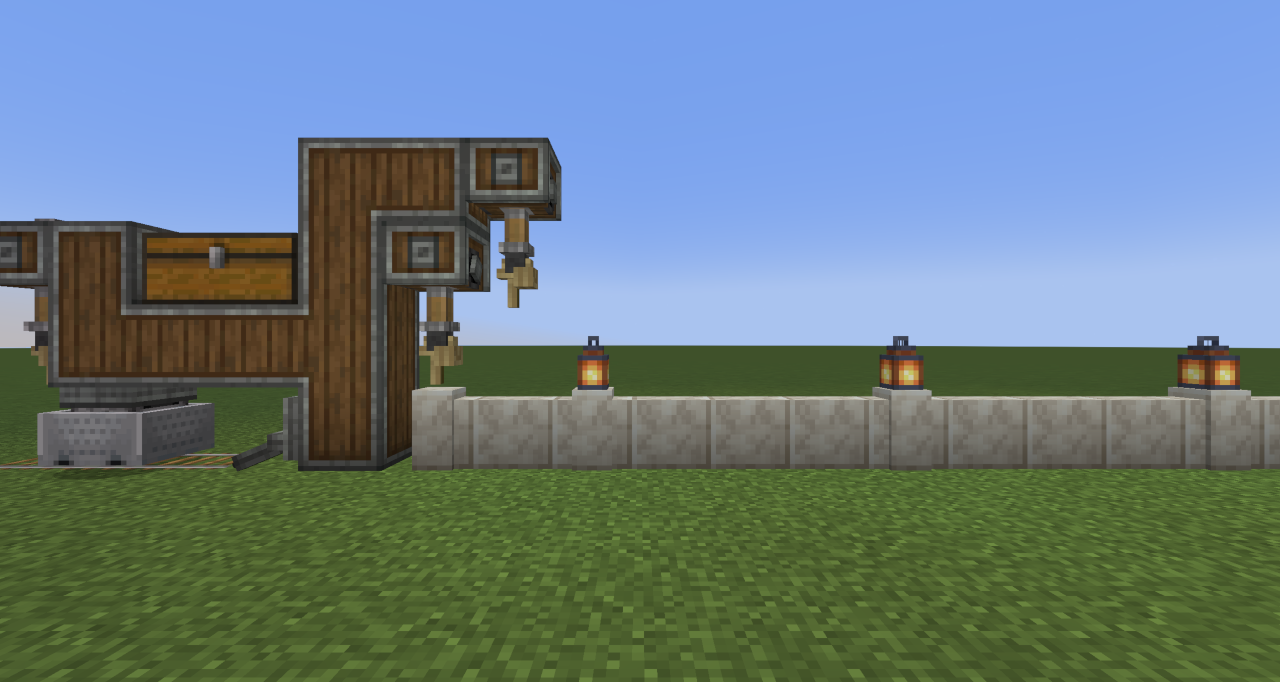 |
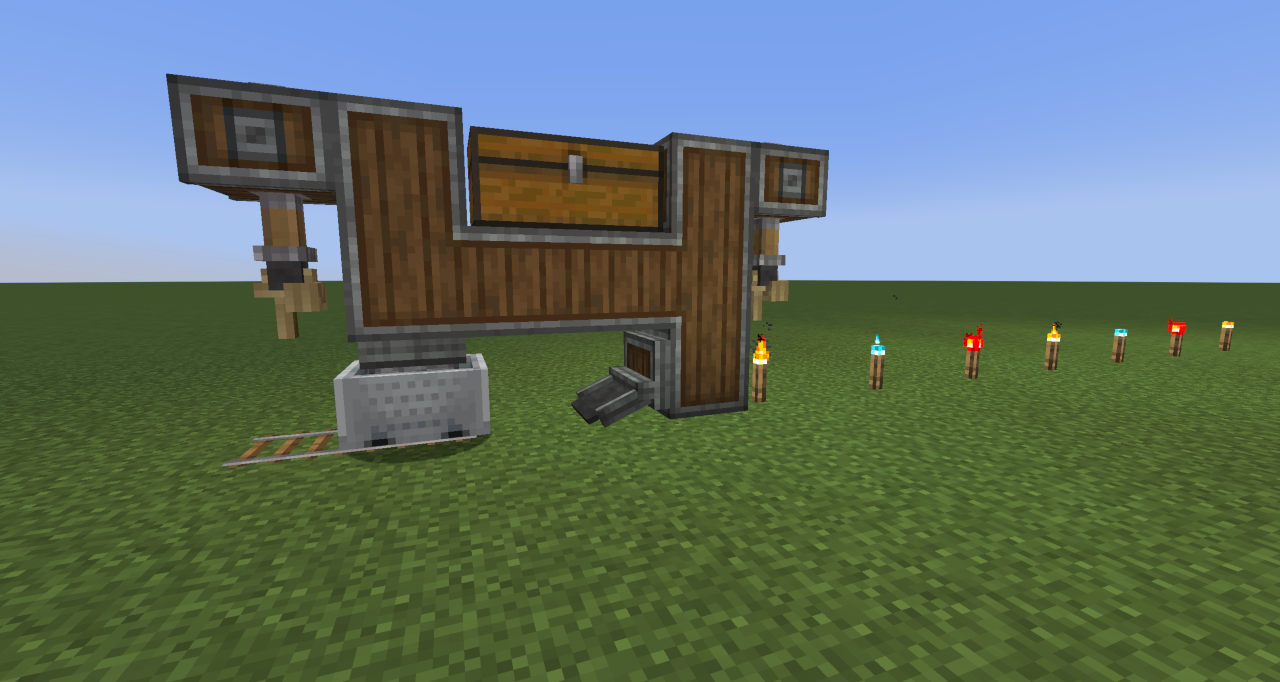 |
Crafting
Craft any wool block with 2 × andesite alloy to create the Interval Filter.

Crafting a configured Interval Filter resets all stored settings back to defaults.

Usage
- Craft the Interval Filter.
- Right-click it to open the configuration screen.
- Set the desired Block Interval and optionally an Initial Offset.
- Add up to 6 items to the filter slots. Choose Strict or Best Effort mode depending on whether missed placements should be skipped or retried...and choose Sequential or Random if using multiple items.
- Place the configured Interval Filter into the filter slot of a Deployer on your contraption or vehicle.
Note: The Interval Filter only works in a Deployer's filter slot on moving contraptions or Create Aeronautics vehicles. It cannot be used in other filter slots, and a Deployer on a stationary block will not activate with it.
Create Aeronautics
With Create Aeronautics installed, Deployers on Aeronautics vehicles also support the Interval Filter. This is optional — the mod works without it.
- Only horizontal distance counts toward the interval, so climbing or descending doesn't affect spacing.
- The first direction the vehicle moves in is treated as forward. Reversing winds the interval pattern back without placing, so it stays aligned when the vehicle drives forward again.
- Deployers don't need rotational power; placement is driven by distance traveled.
Known limitations:
- Vehicles must supply items to deployers, e.g. via a funnel or chute.
- Deployers can only place held items; cycling through multiple filter items is not supported.
- Rotation-sensitive blocks (e.g. stairs and logs) may follow the vehicle's orientation rather than the world's.
- Placement is less precise than on Create contraptions, so spacing may vary.
Notes
- Train Relocation - Using a Wrench to pick up and relocate a train resets the interval counter, offset, and sequence order. Regular stops (such as stations) do not reset progress.
- Teleporting - Teleporting or relocating a contraption restarts the pattern rather than counting as distance traveled. Trains keep their pattern through portals.
- Reversing - Nothing is placed while a contraption travels in reverse, but the pattern is remembered and continues unbroken when it moves forward again. Forward is the front of a train, or the first direction other contraptions move.
- The filter can be reconfigured at any time by right-clicking it in your hand. Placing it back into the Deployer applies the updated settings immediately.
FAQ
Does the Interval Filter work on non-train contraptions? Yes. It works on any moving contraption that includes a Deployer, such as those driven by a Minecraft w/Furnace, Mechanical Bearing or Contraption Controller.
What happens if the Deployer's item supply runs out mid-pattern? The Deployer behaves as normal. It simply won't activate until items are available again. The interval counter continues to advance.
Can I use multiple Interval Filters on the same contraption? Yes. Each Deployer tracks its own interval state independently.
How to Install Create: Interval Filter (Mod)
Create: Interval Filter by ausmez is verified for Fabric, Forge, Neoforge across Minecraft versions 1.20.1, 1.21.1 (latest release: 1.1.0+mc-1.21.1, file size: 205 KB). Follow the steps below to install it safely from ModCraft.tv:
- Click the Download button above and select your Minecraft version (1.20.1, 1.21.1) and platform (Fabric, Forge, Neoforge).
- Make sure you have the compatible loader or environment installed for Fabric, Forge, Neoforge.
- Move the downloaded Create: Interval Filter file into your Minecraft
.minecraft/modsfolder and launch the game.
All Versions
+ Add Version

### Changed
- Keep the same item at each spot in Sequential mode, even when driving back over a pattern.
### Added
- Basic support for use with deployers on Create Aeronautics vehicles, using horizontal distance for spacing and pausing placement while reversing. (#1)
- Known limitations**:
- Vehicles must supply items to deployers, e.g. via a funnel or chute.
- Deployers can only place held items; cycling through multiple filter items is not supported.
- Rotation-sensitive blocks (e.g. stairs and logs) may follow the vehicle's orientation rather than the world's.
- Placement is less precise than on Create contraptions, so spacing may vary.
- Restart the pattern when a train is picked up and moved with a wrench, instead of counting the move as distance. (#2)
- Pause placement while a contraption travels in reverse, keeping the pattern aligned when moving forward again.
- Simplified Chinese (zh_cn) translation, contributed by Zarijaden.
### Fixed
- Prevent slopes from adding extra distance and disrupting spacing. (#2)
- Prevent fast-moving contraptions and trains from skipping blocks or placing them incorrectly.
- Prevent teleporting or relocating a contraption from counting as distance traveled.
- Keep the pattern aligned when a train travels through unloaded areas or a portal.
### Changed
- Keep the same item at each spot in Sequential mode, even when driving back over a pattern.
### Added
- Restart the pattern when a train is picked up and moved with a wrench, instead of counting the move as distance. (#2)
- Pause placement while a contraption travels in reverse, keeping the pattern aligned when moving forward again.
- Simplified Chinese (zh_cn) translation, contributed by Zarijaden.
### Fixed
- Prevent slopes from adding extra distance and disrupting spacing. (#2)
- Prevent fast-moving contraptions and trains from skipping blocks or placing them incorrectly.
- Prevent teleporting or relocating a contraption from counting as distance traveled.
- Keep the pattern aligned when a train travels through unloaded areas or a portal.
### Changed
- Keep the same item at each spot in Sequential mode, even when driving back over a pattern.
### Added
- Restart the pattern when a train is picked up and moved with a wrench, instead of counting the move as distance. (#2)
- Pause placement while a contraption travels in reverse, keeping the pattern aligned when moving forward again.
- Simplified Chinese (zh_cn) translation, contributed by Zarijaden.
### Fixed
- Prevent slopes from adding extra distance and disrupting spacing. (#2)
- Prevent fast-moving contraptions and trains from skipping blocks or placing them incorrectly.
- Prevent teleporting or relocating a contraption from counting as distance traveled.
- Keep the pattern aligned when a train travels through unloaded areas or a portal.
- Fix drag-and-drop functionality with the EMI recipe viewer.


