Force Lowercase Commands


Forces Minecraft client to use lowercase letters in commands.
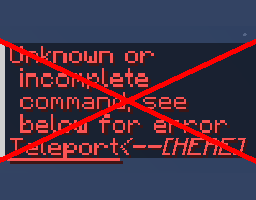
After Minecraft 1.19.1 update, Bukkit changed player commands to be handled with Minecraft's command system which means that commands added by plugins can no longer be used case-insensitively on servers such as Bukkit, Spigot, Paper, Purpur, or other forks. This mod works around that change clientside by lowercasing command when sending.
I find this useful when trying to type commands fast, but the caps lock is on or I accidentally started typing a command with an uppercase letter.
How does it work?
When sending a command in chat this mod replaces uppercase letters in the command with lowercase letters. If the command has arguments, those won't be touched by this mod.
Example behavior of this mod:
The command you typed in chat --> How this mod changes it
/SPAWN --> /spawn
/Spawn --> /spawn
/HELP SPAWN --> /help SPAWN
/Help SPawn --> /help SPawn
How to Install Force Lowercase Commands (Mod)
Force Lowercase Commands by V is verified for Fabric, Quilt across Minecraft versions 1.19.1, 1.19.2, 1.19.3, 1.19.4, 1.20, 1.20.1, 1.20.2, 1.20.3 (latest release: 1.1.0, file size: 12 KB). Follow the steps below to install it safely from ModCraft.tv:
- Click the Download button above and select your Minecraft version (1.19.1, 1.19.2, 1.19.3, 1.19.4, 1.20, 1.20.1, 1.20.2, 1.20.3) and platform (Fabric, Quilt).
- Make sure you have the compatible loader or environment installed for Fabric, Quilt.
- Move the downloaded Force Lowercase Commands file into your Minecraft
.minecraft/modsfolder and launch the game.
All Versions
+ Add Version