
Description
Gallery
Changelog
Versions
ItemFavorites
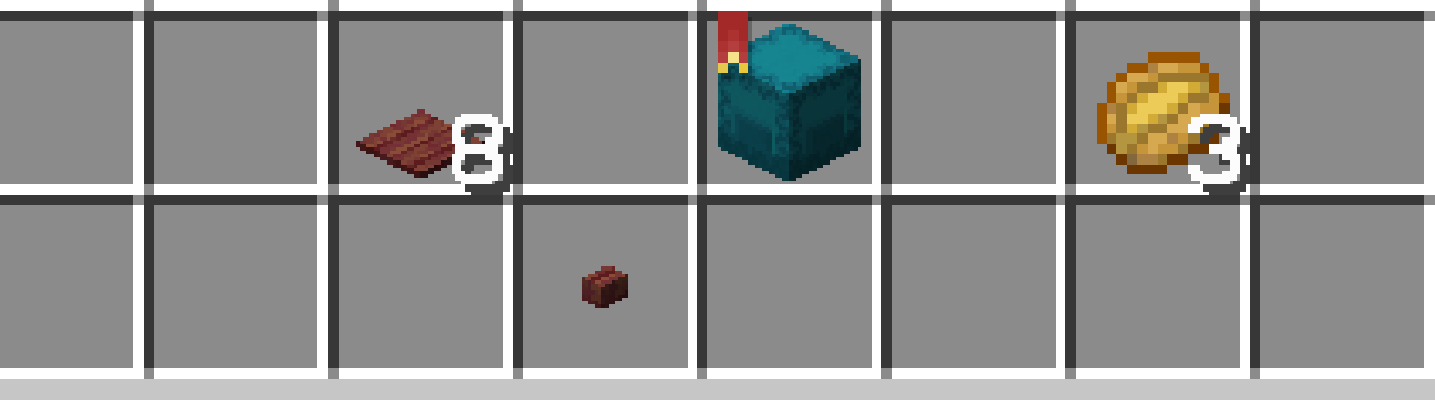
ItemFavorites is a small mod that allows you to... favorite items! Marking an item as a favorite can be done by holding the 'ALT' key while clicking on an item—doing so consequently:
Features
- Surpresses vanilla item interactions including:
- Dropping favorite items both in the hotbar and from within the inventory.
- Quick-moving (i.e. shift clicking) favorite items to other containers.
- Swapping (i.e. number keys) favorite items with another item outside the inventory.
- Surpresses item transfer mechanics for a few mods including:
- Preventing favorite items from being quick stacked when using QuickStack.
- Preventing favorite items from being sorted when using Inventory Sorting.
Images
How to Install ItemFavorites (Mod)
ItemFavorites by 2Retr0 is verified for Fabric, Quilt across Minecraft versions 1.19.3, 1.19.4, 1.20, 1.20.1, 1.20.2, 1.20.3, 1.20.4 (latest release: 1.0.5+1.20.1, file size: 193 KB). Follow the steps below to install it safely from ModCraft.tv:
- Click the Download button above and select your Minecraft version (1.19.3, 1.19.4, 1.20, 1.20.1, 1.20.2, 1.20.3, 1.20.4) and platform (Fabric, Quilt).
- Make sure you have the compatible loader or environment installed for Fabric, Quilt.
- Move the downloaded ItemFavorites file into your Minecraft
.minecraft/modsfolder and launch the game.
All Versions
+ Add Version
[1.0.5+1.20.1] ItemFavorites 1.0.5
by 2Retr0 on Jan 07, 2024
Download
- Fixed crash when joining servers that don't have the mod loaded.
- Fixed being able to drop hotbar favorites when simultaneously swapping slot to non-favorite.
[1.0.4+1.20.1] ItemFavorites 1.0.4
by 2Retr0 on Jun 12, 2023
Download
- Updated for Minecraft 1.20 and 1.20.1!
[1.0.3+1.19.4] ItemFavorites 1.0.3
by 2Retr0 on Apr 11, 2023
Download
- Fix mod not being able to load on server.
[1.0.3+1.19.3] ItemFavorites 1.0.3
by 2Retr0 on Apr 10, 2023
Download
- Fix mod not being able to load on server.
[1.0.2+1.19.4] ItemFavorites 1.0.2
by 2Retr0 on Apr 04, 2023
Download
- Fixed issue with favorite item interactions in the creative inventory.
- Fixed issue with favorite items retaining status when dropping on death.
- Fixed issue with bookmark opacity messing with the chat box opacity.
[1.0.0+1.19.3] ItemFavorites 1.0.0
by 2Retr0 on Feb 27, 2023
Download
### Initial release!


