


Server Country Flags is a fantastic addition to your server list experience. It shows in what country a given Minecraft server is located in the server list, your approximate distance to it, and some details.

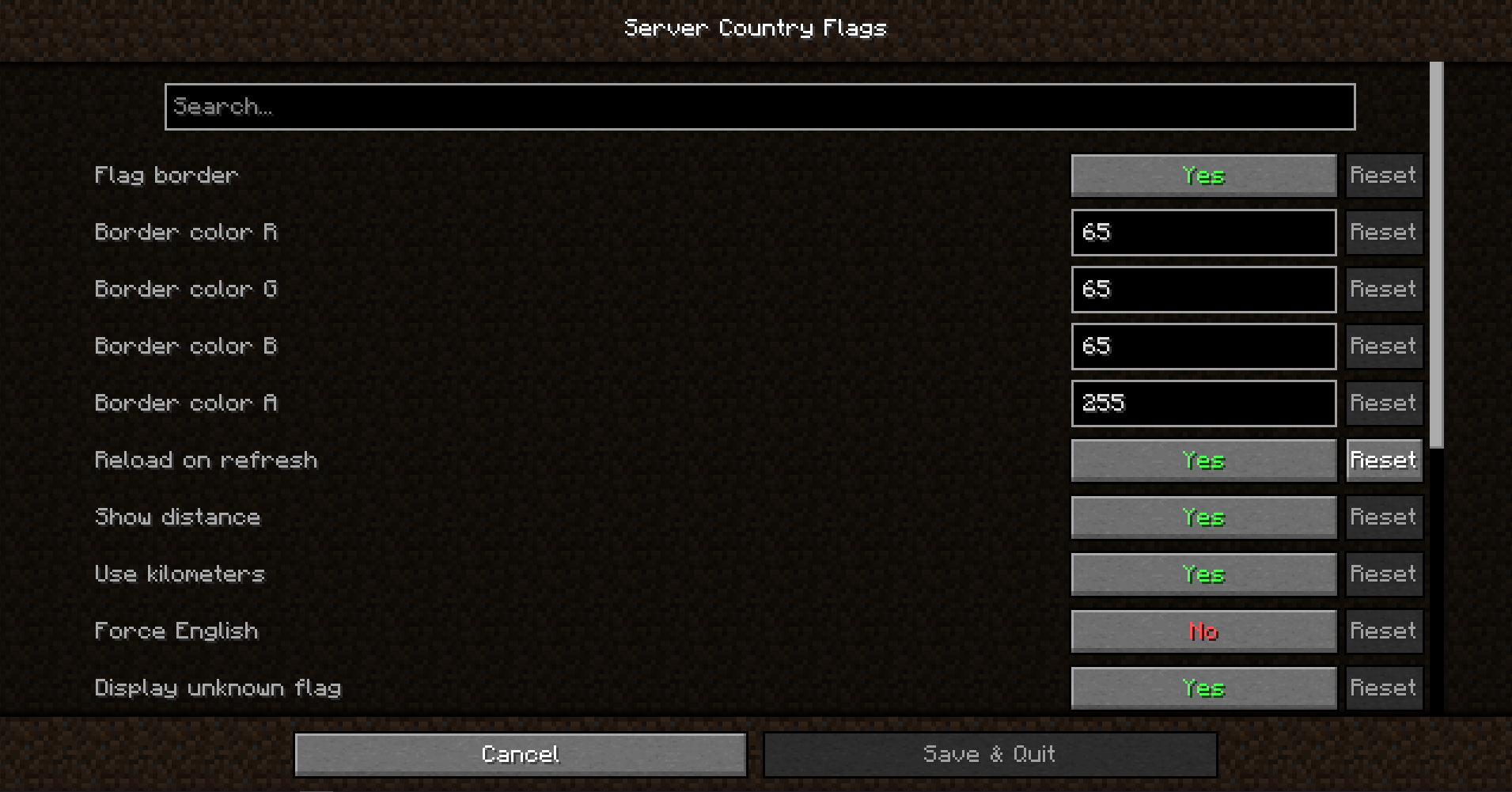
If you have the Cloth Config API installed, you can tweak the mod's settings in a user-friendly GUI. To access it on Forge, you press the Config button in the mod-list. On Fabric, you need to access it using Mod Menu's config button.

This mod uses data from a publicly available, free IP Geolocation IP - IP-API.com.
It limits the amount of requests the mod can make to 45 per minute, but that's totally enough.

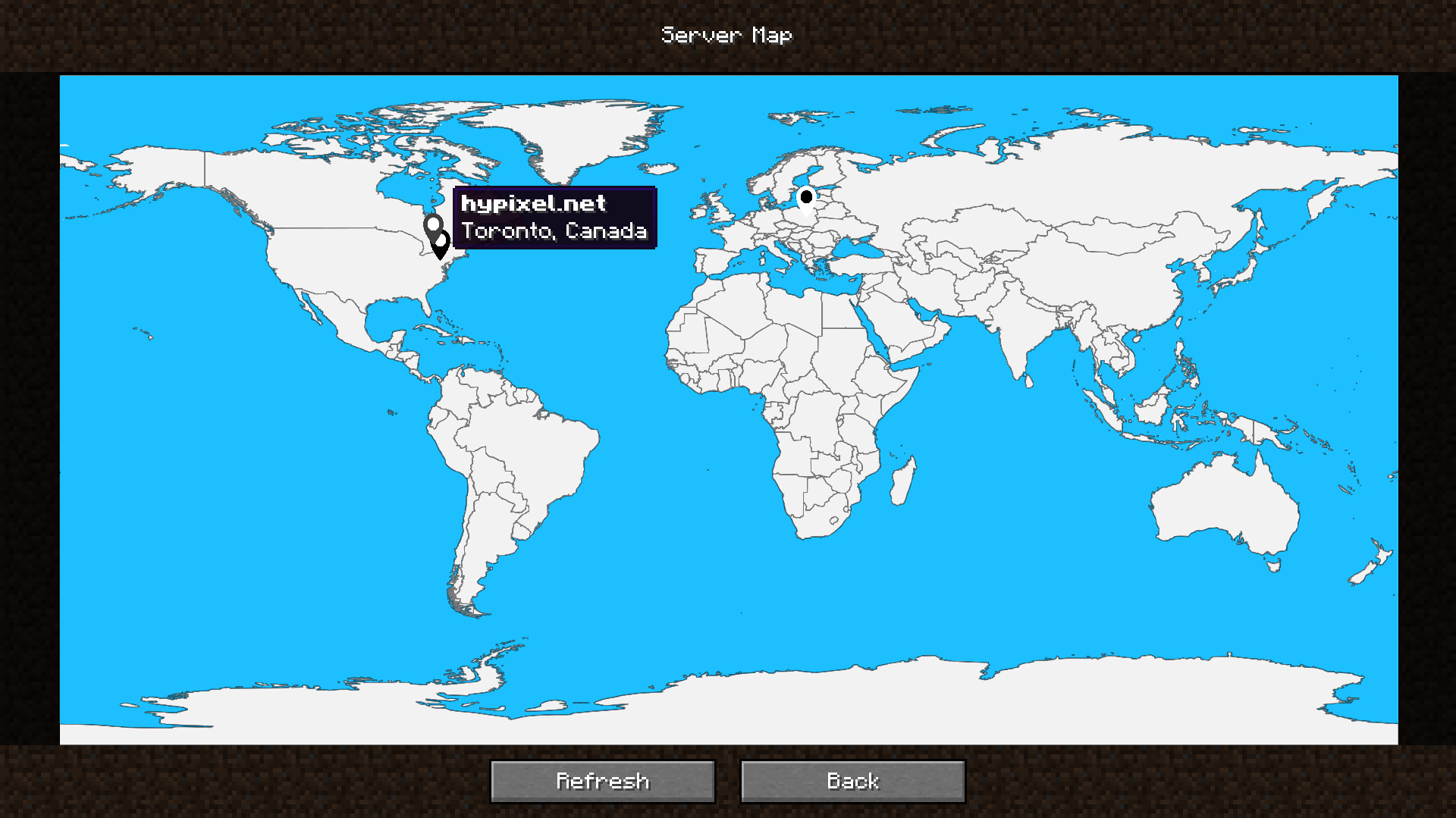
The mod also includes a built-in server map that provides a visual overview of your server locations, so that you can easily identify where your favorite servers are situated at a glance.
It can be accessed by the Server Map button in the server list, next to all of the buttons. You can remove or move it in the config!
Would you like to support me, or the mod?
Here is how you can do that:
- Donate on Ko-Fi!
- Use my promo code khajiitos on BisectHosting for 25% off!
- Help translate the mod on CrowdIn!
- Contribute code, let me know of issues or add a star on the mod's GitHub page!
Thanks a lot!

Here are dependencies that enhance the mod's functionality, or this mod enhances!
- Fabric API (required on Fabric)
- Cloth Config API (provides the in-game Config page)
- Mod Menu (required to access the Config page on Fabric)
- Server Browser (we add flags to the Server Browser to help you find the server closest to you!)

Whether you're looking for a server for your modpack, or just to mess around with your friends - BisectHosting is one of the most reliable and affordable options you can get! It makes installing modpacks just a couple of clicks. 25% off with code khajiitos!

How to Install Server Country Flags (Mod)
Server Country Flags by Khajiitos is verified for Fabric, Forge, Neoforge, Quilt across Minecraft versions 1.18, 1.18.1, 1.18.2, 1.19.2, 1.19.3, 1.19.4, 1.20, 1.20.1 (latest release: 1.10.4, file size: 2.3 MB). Follow the steps below to install it safely from ModCraft.tv:
- Click the Download button above and select your Minecraft version (1.18, 1.18.1, 1.18.2, 1.19.2, 1.19.3, 1.19.4, 1.20, 1.20.1) and platform (Fabric, Forge, Neoforge, Quilt).
- Make sure you have the compatible loader or environment installed for Fabric, Forge, Neoforge, Quilt.
- Move the downloaded Server Country Flags file into your Minecraft
.minecraft/modsfolder and launch the game.
All Versions
+ Add Version| Name | Game version | Platforms | Published | Downloads | Actions |
|---|---|---|---|---|---|
| 2mo ago | 1 | ||||
| 2mo ago | 1 | ||||
| 2mo ago | 1 | ||||
| 2mo ago | 1 | ||||
| 2mo ago | 1 | ||||
| 2mo ago | 1 | ||||
| 2mo ago | 1 | ||||
| 2mo ago | 1 | ||||
| 2mo ago | 1 | ||||
| 2mo ago | 1 | ||||
| 2mo ago | 1 | ||||
| 2mo ago | 1 | ||||
| 2mo ago | 1 | ||||
| 2mo ago | 1 | ||||
| 2mo ago | 1 | ||||
| 2mo ago | 1 | ||||
| 2mo ago | 1 | ||||
| 2mo ago | 1 | ||||
| 2mo ago | 1 | ||||
| 2mo ago | 1 | ||||
| 2mo ago | 1 | ||||
| 2mo ago | 1 | ||||
| 2mo ago | 1 | ||||
| 2mo ago | 1 | ||||
| 2mo ago | 1 | ||||
| 2mo ago | 1 | ||||
| 2mo ago | 1 | ||||
| 2mo ago | 1 | ||||
| 2mo ago | 1 | ||||
| 2mo ago | 1 | ||||
| 2mo ago | 1 | ||||
| 2mo ago | 1 | ||||
| 2mo ago | 1 | ||||
| 2mo ago | 1 | ||||
| 2mo ago | 1 | ||||
| 2mo ago | 1 | ||||
| 2mo ago | 1 | ||||
| 2mo ago | 1 | ||||
| 2mo ago | 1 | ||||
| 2mo ago | 1 | ||||
| 2mo ago | 1 | ||||
| 2mo ago | 1 | ||||
| 2mo ago | 1 | ||||
| 2mo ago | 1 | ||||
| 2mo ago | 1 | ||||
| 2mo ago | 1 | ||||
| 2mo ago | 1 | ||||
| 2mo ago | 1 | ||||
| 2mo ago | 1 |


raknet; and raknetl; prefixes from the [Raknetify](https://github.com/RelativityMC/raknetify) mod (suggested by **sternschnaube**)raknet; and raknetl; prefixes from the [Raknetify](https://github.com/RelativityMC/raknetify) mod (suggested by **sternschnaube**)- Tooltip (Server Name)** - the location info is displayed as a tooltip when hovering over the server name
- Tooltip (Ping)** - the location info added to the ping tooltip
Renamed the "default" setting to "bottomRight" - it was not technically the default for a long time anyway
- Tooltip (Server Name)** - the location info is displayed as a tooltip when hovering over the server name
- Tooltip (Ping)** - the location info added to the ping tooltip
Renamed the "default" setting to "bottomRight" - it was not technically the default for a long time anyway


