Description
Gallery
Changelog
Versions
VaultPlugin
Support: https://discord.gg/BEfcrjTJhx

Commands
Main command /vault, alias of which are /safe and /tresor
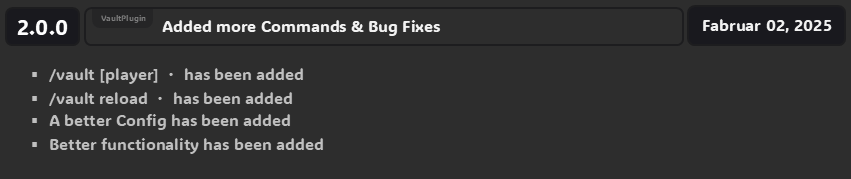
- /vault ・ Open your vault
- /vault [player] ・ Opens the player's safe [Player]
- /vault reload ・ Reloaded the Config
Permission
Permission can be changed in the config
- vaultplugin.use
- vaultplugin.others
- vaultplugin.reload
VaultPlugin v3
We are planning a major update with extensive enhancements. Please share your suggestions on our Discord in #suggestions.
- Personalized size limits
- Database storage
- Dashboard via next.js for logs, etc.
How to Install VaultPlugin (Plugin)
VaultPlugin by WrobelXXL is verified for Spigot across Minecraft versions 1.21, 1.21.1, 1.21.2, 1.21.3, 1.21.4 (latest release: 2.0.1, file size: 8 KB). Follow the steps below to install it safely from ModCraft.tv:
- Click the Download button above and select your Minecraft version (1.21, 1.21.1, 1.21.2, 1.21.3, 1.21.4) and platform (Spigot).
- Make sure you have the compatible loader or environment installed for Spigot.
- Move the downloaded VaultPlugin file into your Minecraft
.minecraft/pluginsfolder and launch the game.
All Versions
+ Add Version
[2.0.1] 2.0.1 Improved Saving
by WrobelXXL on Oct 15, 2026
Download

[2.0.0] 2.0.0 Added more Commands & Bug Fixes
by WrobelXXL on Oct 15, 2026
Download