## [1.0.9-9] - 2026-03-20
### Added
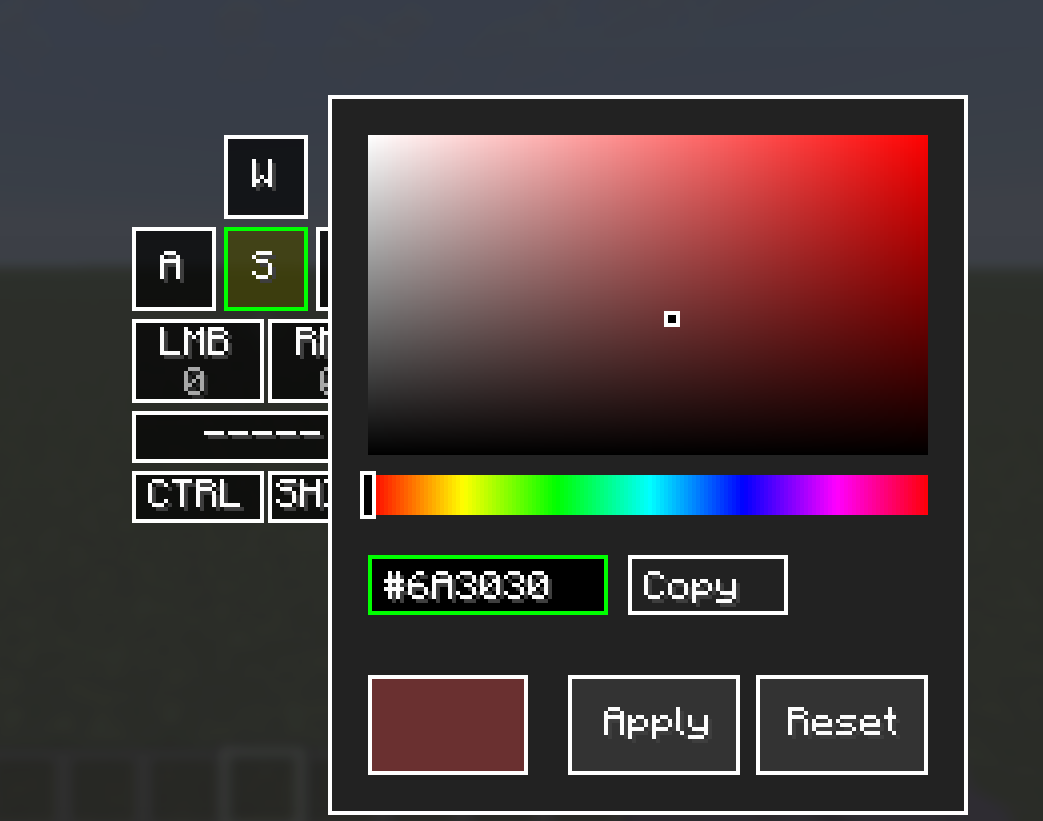
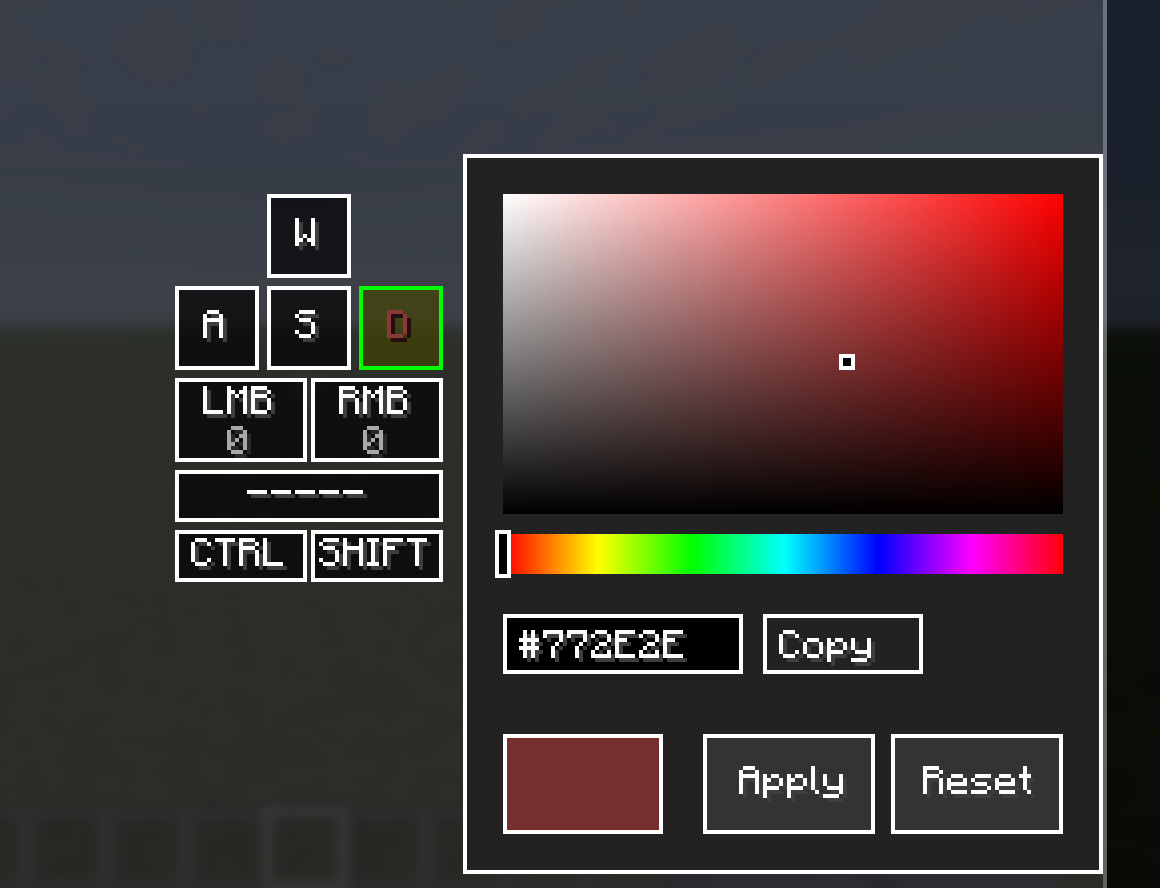
- **Hex color code display in Color Picker** — The Color Picker screen now shows the currently selected color as a `#RRGGBB` hex code in an editable text box. This allows players to see the exact color value at a glance without leaving the screen. This is particularly useful when working across multiple Color Picker instances — for example, matching text colors between different keys in the Keystrokes Designer.
- **Hex input editing** — Clicking the hex box activates it for keyboard input. Valid hex characters are accepted and the color updates live as a complete 6-digit code is entered. Invalid input is silently discarded to prevent visual glitches.
- **CTRL+A support in hex box** — Pressing CTRL+A while the hex box is active selects all text, indicated by a blue highlight. The next character typed replaces the entire contents, matching standard text field behavior.
- **CTRL+V support in hex box** — Pressing CTRL+V pastes clipboard contents into the hex box. Both `#RRGGBB` and `RRGGBB` formats are accepted. Invalid clipboard content is silently ignored.
- **Copy button in Color Picker** — A "Copy" button next to the hex box copies the current color code to the clipboard. The button label temporarily changes to "Copied!" for 2 seconds as visual confirmation.
### API
No breaking changes. No public API classes were modified. Binary compatibility with existing third-party plugins is fully preserved.
Developer information
Projects on Modrinth are automatically available through a Maven repository for use with JVM build tools such as Gradle.
maven { name = "Modrinth"; url = "https://api.modrinth.com/maven" }

